
CRM Form Autofill for sales, support, and operations
SmartAutoFill helps individuals draft consistent lead, contact, customer, vendor, support, and internal-tool values on ordinary visible native web forms.
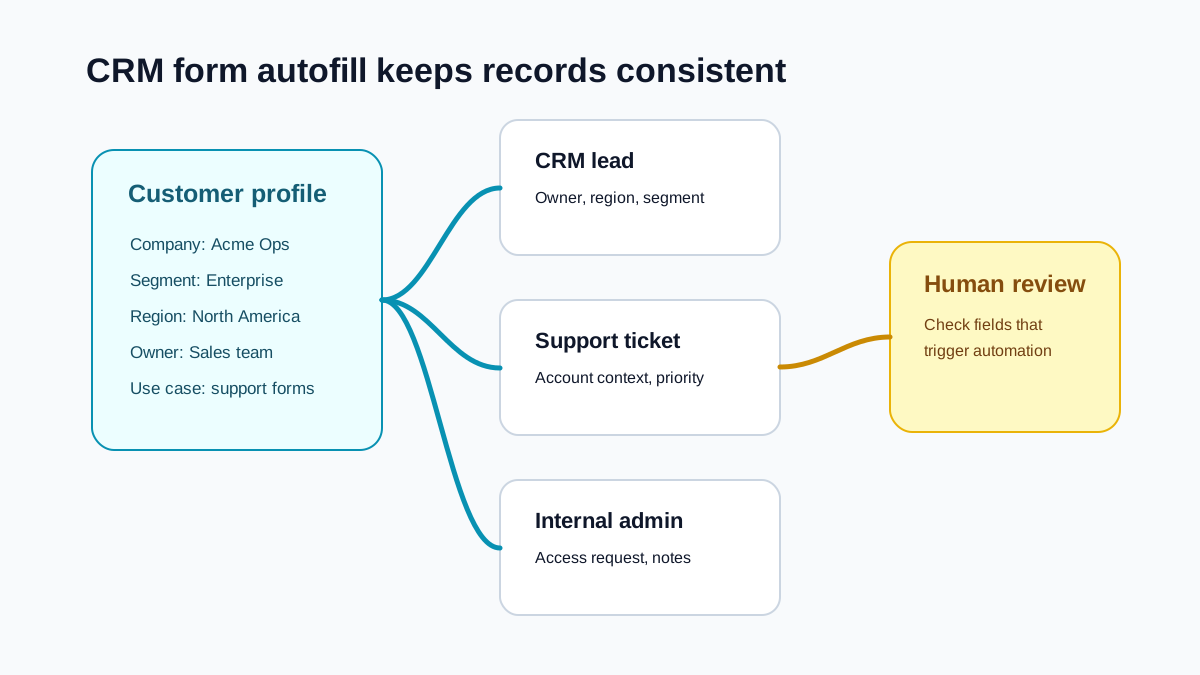
Reduce repeated data entry without removing review
CRM form autofill is most useful when the same customer, lead, vendor, or internal record appears across several tools.
Lead and contact fields
Draft names, roles, company info, websites, regions, summaries, and notes from saved context.
Browser form scope
Fill compatible native fields in admin, support, operations, onboarding, and request forms without changing the underlying system.
Reusable business profiles
Save company descriptions, signatures, links, address, and common context for repeated workflows.
Reviewable drafts
SmartAutoFill applies draft values only so teams can review records before saving or submitting.
Where CRM form autofill fits
Use SmartAutoFill when the value comes from saved context and consistency matters more than raw speed.
Sales teams
Lead capture, contact enrichment, account notes, and follow-up form fields.
Support teams
Ticket metadata, customer summaries, product context, and internal notes.
Operations teams
Vendor intake, admin requests, onboarding records, and workflow forms.
Clear automation boundary
SmartAutoFill provides no CRM API or native integration, no shared team templates, and no record lookup or workflow automation.
CRM form autofill FAQ
Browser-form compatibility, integration limits, data handling, and manual submission for business tools.
Try AI-assisted CRM form filling
Use the AI form filler test page to evaluate compatible native fields and longer business text before using SmartAutoFill in an internal tool.