
The phrase AI form tool hides two different jobs.
One person wants to fill a form that already exists: a job application, CRM record, vendor questionnaire, support ticket, or internal request. Another person wants to create a form for other people to complete, then route the answers into a team workflow. The first person needs an AI form filler. The second needs an AI form builder.
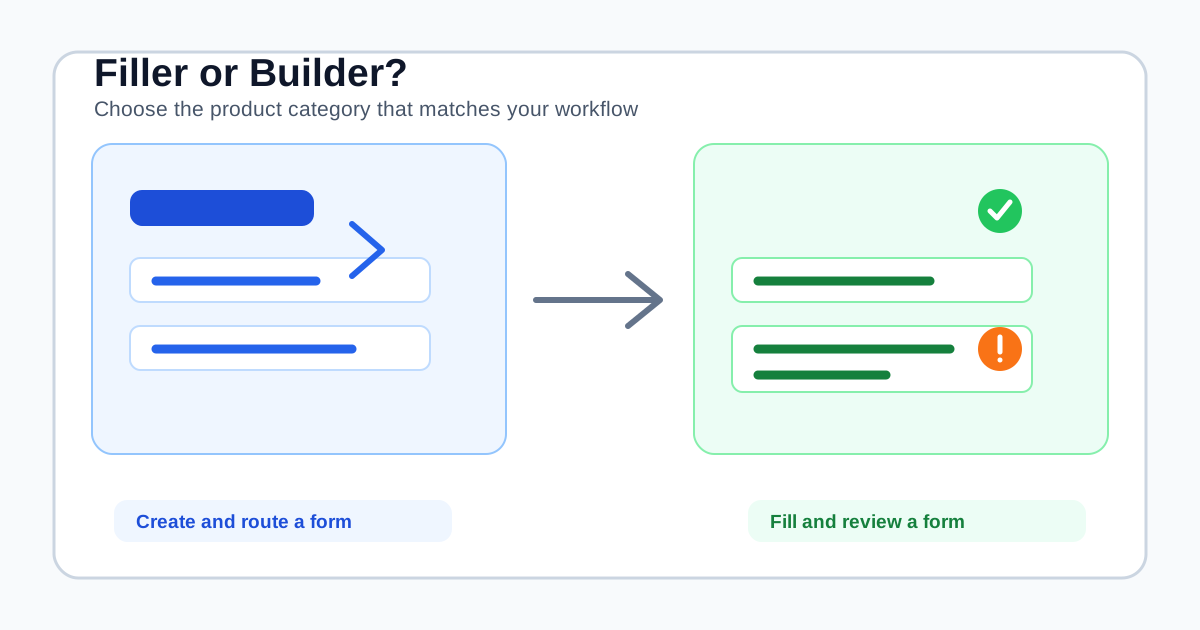
They can appear together in search results because both products use words such as form, AI, and automation. They are not interchangeable purchases. A form builder changes the form owner's workflow. A form filler helps the person who is completing someone else's form.
This distinction matters before you compare features or pricing. It tells you which problem you are actually buying software to solve.
The one-question category test
Ask: Are you creating the form, or filling it?
Choose an AI form builder when you own the form and need to design questions, validation, conditional logic, approvals, integrations, or analytics. FormAssembly, for example, describes builder capabilities around conditional logic, workflow approvals, integrations, and form analytics. Those capabilities govern what happens to a submission after someone completes it.
Choose an AI form filler when another company, customer, employer, or team owns the form and your problem is repeated browser entry. SmartAutoFill reads visible compatible fields, uses saved profile data or selected context, and applies a reviewable draft on the page.
The distinction is not a technicality. A builder asks, “What should respondents see and what should happen after they submit?” A filler asks, “What does this field mean, and which of my already-reviewed facts belongs here?”
What an AI form builder is for
An AI form builder starts with a blank page or an existing process. Its customer is usually the form owner: a marketing team, operations lead, HR administrator, agency, school, or service business.
The buying journey usually looks like this:
- Define the information the organization needs.
- Build questions, sections, validation, and branching logic.
- Publish the form or embed it on a site.
- Collect responses from other people.
- Route, review, approve, analyze, or export those responses.
That means builder evaluation should focus on:
- Conditional logic and multi-step experiences.
- Required fields, validation, calculations, and file uploads.
- Branded forms, share links, embeds, or portals.
- Notifications, assignments, approvals, and audit history.
- Integrations with a CRM, spreadsheet, project system, or database.
- Analytics for completion, abandonment, and response quality.
If you need those capabilities, an AI form builder is the right category. Replacing it with a browser extension would leave the important part of the workflow untouched: the form still needs to be designed, hosted, and connected to the team that owns the response.
What an AI form filler is for
An AI form filler starts with a form that somebody else built. Its customer is the person who must complete that form, often repeatedly.
The buying journey is different:
- Install a browser extension or open the supported form.
- Save stable profile facts or provide current context.
- Scan the visible page and generate a fill plan.
- Apply compatible values to the form.
- Review the result and submit through the form's own control.
The important product questions are therefore different:
- Can it understand labels, nearby instructions, and long-text prompts?
- Can it reuse a profile without forcing another copy-paste session?
- Can it use the right context for this particular form?
- What native controls and file inputs does it support?
- What does it skip by design?
- Can a person inspect every applied value before submission?
- Does it work on the forms already used by the team, without claiming guaranteed integrations?
SmartAutoFill is built for this second journey. It is a Chrome extension for compatible visible web fields, not a hosted form editor. It does not create a public intake URL, replace an existing form, route submissions, or become the system of record.
Why the two products can work together
A team may reasonably use both tools because they operate at different points in the journey.
An agency might use a form builder to publish a client discovery form. The client fills that form and the agency receives a response. Later, an account manager may copy approved details into a project setup form, CRM record, partner portal, or internal handoff form. The builder owns collection and routing. The form filler reduces repeated browser entry in the second workflow.
The same pattern appears in HR, procurement, support, and operations. One system owns the intake process. People still move known facts between systems that do not share a native integration. A browser-side filler can help with that last mile while leaving the system of record and final action unchanged.
A closer look at SmartAutoFill's boundary
SmartAutoFill is useful when the form exists already and the information is known but tedious to re-enter. A standard saved profile can cover stable contact, company, role, website, social, and signature details. Pasted context or paid AI Materials Pro can provide richer source material where the current plan supports it.
That does not mean every answer should be copied automatically. A current project deadline, budget, legal declaration, security answer, or consent choice needs context and review. A source document is evidence for a draft, not permission to fill every field with its contents.
Use Safe Mode for real workflows. More Mode can broaden planning on lower-risk pages, but it does not make sensitive or unsupported controls fillable. Review the supported fields and data-handling reference for the current behavior around native controls, sensitive fields, hosted credits, custom providers, and attachments.
Before using real information, test the extension on a public sample form. This is especially important for custom widgets, radio groups, checkboxes, unusual upload controls, and pages that add their own validation after a value is applied.
The review step is the trust path
Form builders often make the submission workflow visible to the organization. A form filler must make the application workflow visible to the individual user.
That is why “one-click fill” is not a sufficient buying criterion. The useful sequence is review before submission:
- Confirm the page and account are the intended destination.
- Check that the selected profile or materials match the task.
- Inspect generated long-text answers for accuracy and tone.
- Verify dates, names, URLs, quantities, and attachments.
- Complete unsupported choices or sensitive fields manually.
- Submit only after the page says what you mean.
SmartAutoFill drafts and applies compatible values for review. It does not blindly auto-submit forms. Users remain responsible for every value, attachment, consent, legal statement, payment field, password, and final action.
This is not friction added after the product is finished. It is the trust path for a tool that works inside forms it does not own.
A practical decision matrix
| Your situation | Better starting point | Why |
|---|---|---|
| You need to collect new information from customers | AI form builder | You need questions, publishing, and response handling |
| You need to fill the same external forms repeatedly | AI form filler | The forms already exist; repeated entry is the bottleneck |
| You need branching, approvals, and team assignments | Form builder or workflow platform | The problem is process orchestration, not typing |
| You need to move known facts between browser systems | AI form filler | A reviewable browser draft can reduce rekeying |
| You need a CRM record, analytics, or audit trail for submissions | Form builder, CRM, or workflow system | The destination and ownership matter more than field entry |
| You need both collection and repeated internal entry | Both, with clear ownership | Keep collection in the builder and browser entry in the filler |
The best tool is determined by who owns the form and what must happen after submission. Do not choose from a list of “AI form” products before answering those two questions.
The negative ICP: when neither category is the answer
Neither an AI form filler nor a general form builder should be used to bypass security or accountability. SmartAutoFill is the wrong tool for:
- Spam, fake survey responses, or mass submissions.
- Credential stuffing, password management, or bypassing CAPTCHA and verification.
- Payment card, bank, tax, or identity-verification workflows.
- Legal, medical, or financial decisions that require specialist review.
- Blind submission of applications, claims, consents, contracts, or declarations.
- Replacing a regulated intake system, secure client portal, approval system, or CRM.
Those needs require purpose-built controls, access management, retention rules, and accountable owners. Better prompts do not turn a general browser extension into a password vault, payment system, or regulated workflow.
Which one should you buy?
Choose a form builder when your first task is to design or replace a form. Evaluate its logic, response handling, integrations, permissions, approvals, and reporting.
Choose a form filler when your first task is to complete forms other people already built. Evaluate its field support, context handling, privacy boundaries, review experience, and honest compatibility claims. Check the current SmartAutoFill pricing only after you have confirmed that your workflow is the browser-side one.
If you are still unsure, run a small non-sensitive test: use the AI Form Filler Test page, compare the generated draft with your source facts, and see whether the manual review step fits the way your team works.
AI form fillers and AI form builders are complementary categories, not two versions of the same product. A builder helps you ask better questions and manage the response. A filler helps you answer existing questions with less repeated typing. Start with the owner of the form, follow the data after submission, and choose the tool that matches that journey.