
QA teams and developers fill forms more often than most users ever will. Signup flows, onboarding steps, checkout screens, admin panels, lead forms, internal tools, support forms, and profile pages all need to be tested repeatedly. Typing fake data by hand is slow. Copying from a note is fragile. Reusing the same test account forever hides bugs.
A form filler for testing solves the repetitive part, but it should not make the test process sloppy. The point is not just to fill fields quickly. The point is to create repeatable, realistic, safe test data. The AI form filler product overview explains where SmartAutoFill fits alongside scripted testing.
Why manual form filling breaks down
Manual test entry works for the first pass. It becomes expensive when you need to test:
- Required field validation.
- Multi-step onboarding.
- Checkout and billing screens.
- Admin create/edit flows.
- Permission-specific forms.
- Empty, short, long, and invalid values.
- Localized forms.
- Mobile browser behavior.
- Regression checks before every release.
The hidden cost is attention. When a QA engineer spends energy typing addresses and phone numbers, they have less attention left for the thing being tested.
Separate test data from production-like data
A staging form should not be filled with real customer information just because it is convenient. That creates privacy risk and makes screenshots, logs, and test databases harder to handle.
Use clearly fake values for:
- Names.
- Phone numbers.
- Addresses.
- Emails.
- Company names.
- Credit-card-like fields unless the payment provider supplies official test cards, such as Stripe's documented test payment methods.
- Internal notes.
Use production-like structure, not production data. For example, a test company can have a realistic industry, size, and address format without being a real prospect.
Create profiles for different test personas
One generic fake user is not enough. Real forms break when different personas expose different paths.
Useful testing profiles include:
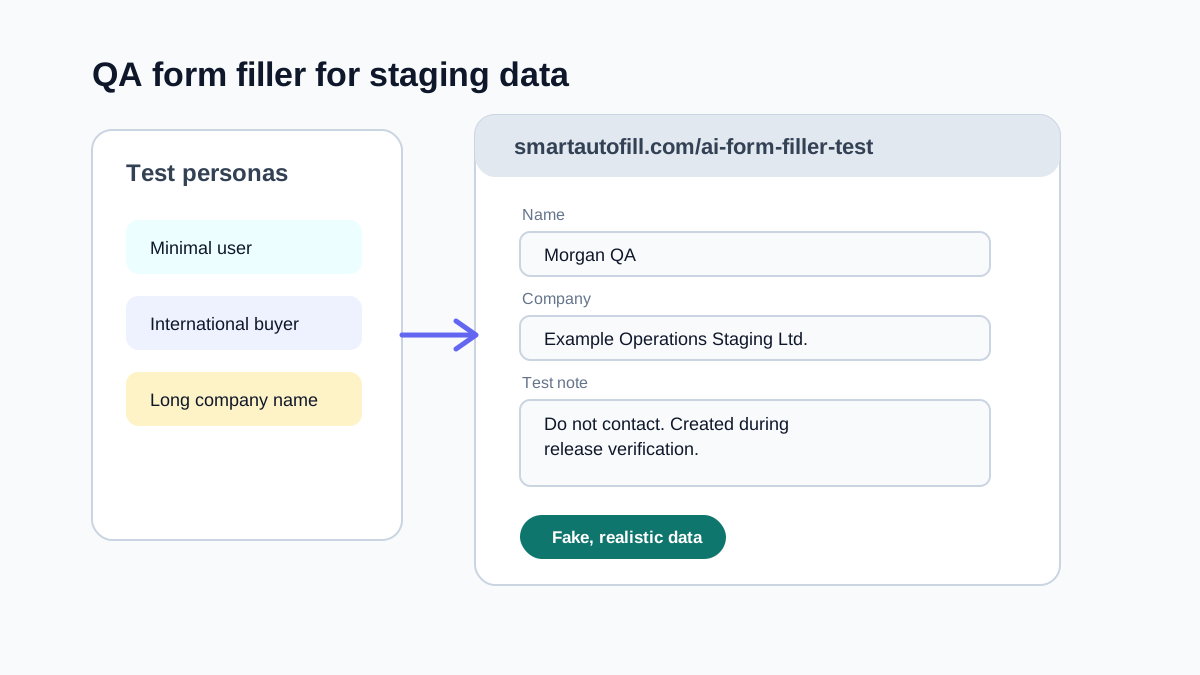
- New user with minimal required fields.
- Power user with long names and long organization names.
- International user with non-US address format.
- Business buyer with company and tax fields.
- Applicant with long work history.
- Admin user creating records for someone else.
- Edge case user with special characters in names.
- Mobile user with short answers.
Each profile should be realistic enough to exercise layout and validation, but fake enough to be safe in logs.
Test the awkward fields
Most form bugs happen outside the obvious inputs.
Pay special attention to:
- Dropdowns.
- Radio groups.
- Multi-select fields.
- Date pickers.
- Phone number masks.
- Currency fields.
- File uploads.
- Rich text editors.
- Address autocomplete.
- Conditional fields that appear after a selection.
A basic form filler can populate text inputs quickly. An AI-assisted form filler is more useful when labels are ambiguous or when the tool needs to decide which saved value belongs in a compatible native input or select. Radio groups, checkbox state, complex rich-text editors, and custom dropdown widgets still need manual testing; read the supported fields and automation boundaries before treating extension coverage as product coverage.
Keep a checklist for each flow
Autofilling a staging form does not replace QA judgment. It gives QA a faster starting state.
For each repeated flow, keep a small checklist:
- Which persona did I use?
- Which required fields were filled?
- Which conditional fields appeared?
- Which validation messages did I expect?
- Did any field receive the wrong kind of value?
- Did the form preserve data after navigating back?
- Did the submitted record look correct in the database or admin page?
When a bug appears, this checklist makes it easier to reproduce.
Avoid polluting analytics and customer systems
Testing forms can create noise in analytics, CRM, support queues, email tools, and payment dashboards. Before using autofill heavily, confirm where submissions go.
For staging:
- Use staging API keys.
- Disable production email sends or route them to a test inbox.
- Mark test records clearly.
- Use domains such as
example.comor an internal test domain. - Avoid real phone numbers.
- Keep payment flows in sandbox mode.
For production smoke tests:
- Use a known test account.
- Delete or archive records after the test.
- Avoid high-volume automated submission.
- Make sure the team knows what test records look like.
Where SmartAutoFill helps QA teams
SmartAutoFill can help QA and development teams fill forms that are too varied for one static script. Instead of writing custom browser automation for every admin form, you can save test personas and let the extension draft compatible field values based on the current page.
This is useful for exploratory testing, staging review, and quick regression checks. It is not a replacement for automated end-to-end tests. Automated tests should still cover critical flows. A browser form filler helps with the human side of testing: moving through forms quickly while inspecting behavior.
Good test data is boring on purpose
Good QA data should be clear, fake, and consistent. It should not be clever. If a record appears in a screenshot, log, or database table, anyone on the team should be able to tell that it is test data.
Use names such as:
- Casey Testwell.
- Morgan QA.
- Staging Buyer.
- Example Operations.
Use notes such as:
- "QA staging record for onboarding flow."
- "Do not contact. Test submission."
- "Created during release verification."
Simple conventions prevent accidental follow-up and make cleanup easier.
Bottom line
A form filler for testing is valuable because it protects human attention. It lets QA and developers spend less time typing and more time observing the product.
The best workflow uses fake but realistic data, multiple personas, review before submission, and clear cleanup rules. That combination gives you speed without turning staging into a pile of confusing records.
You can use the public AI form filler test page as a known target before testing your own application. The Safe Mode and More Mode guide explains why More can broaden planning on low-risk test forms without making sensitive or unsupported controls fillable.