
An AI form filler needs enough context to understand a field, but not every word on the page is useful context.
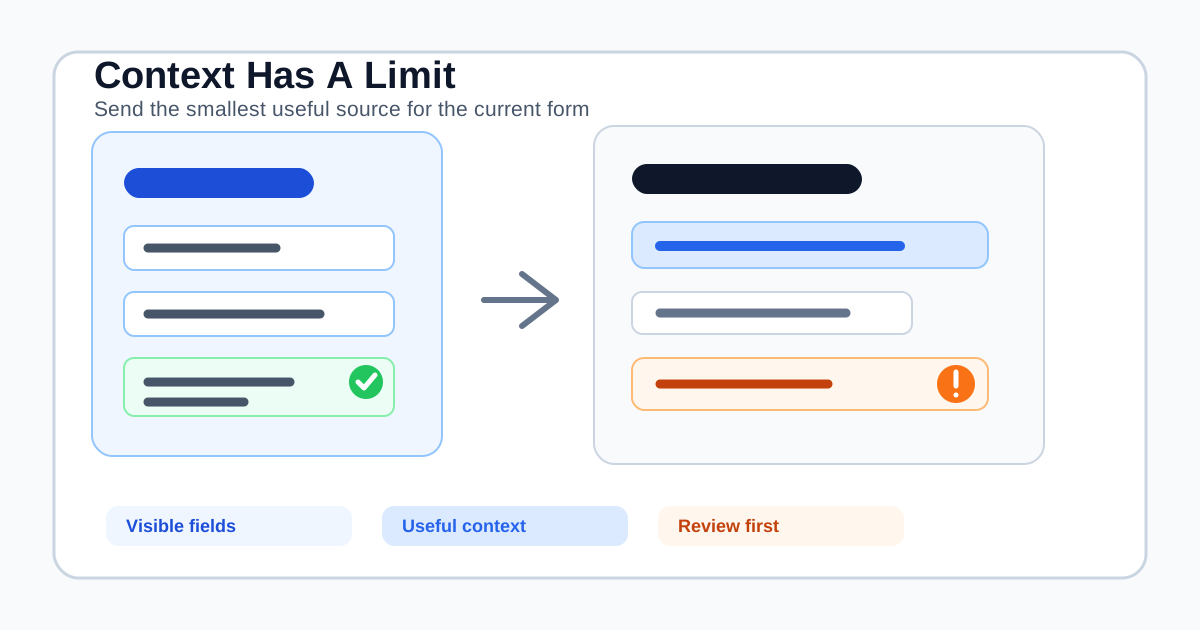
That distinction matters when a form sits inside a long application, a help center, a procurement portal, or a web app with navigation, marketing copy, tables, and repeated instructions. Sending everything can increase cost, privacy exposure, and ambiguity. Sending too little can make “project summary” look like an unanswerable blank.
The practical answer is: an AI form filler needs the smallest useful context that identifies the current form, the meaning of its fields, and the source facts that belong in the answers. It does not need to ingest an entire website or silently guess what matters.
This guide explains how page context works, why limits exist, how to evaluate a context-aware autofill tool, and where SmartAutoFill's current context tiers fit.
What “context” means in an AI form filler
Context is the information the fill planner can use to interpret the current page and draft values. It is usually a combination of four layers:
- Page identity: URL, title, language, and sometimes the meta description.
- Page structure: headings, nearby instructions, form text, labels, options, and field types.
- User source: a saved profile, selected scenario, or extra text provided for this task.
- Source references: selected documents, websites, images, or other materials when the plan supports them.
The goal is not to make the model memorize a page. The goal is to answer a narrower question: “What does this visible field ask, and which approved fact or explanation belongs here?”
The AI form filler versus browser autofill comparison explains why this layer matters. Browser autofill is good at recognizing stable personal fields. A contextual autofill tool is useful when the form asks for business facts, role-specific details, or longer explanations that are not captured by a browser's saved address profile.
Why more context can make a fill worse
Longer input sounds safer because it appears to give the model more evidence. In practice, extra text can create several problems:
- Competing facts: an old project brief and a current profile may describe different company names, products, or dates.
- Wrong section bias: a navigation label or footer may resemble a form field label but have no bearing on the answer.
- Stale instructions: a page can contain archived help text, an old policy, or a previous step that no longer applies.
- Privacy expansion: irrelevant page content can include customer names, internal notes, or identifiers that the fill does not need.
- Token pressure: the useful field label and profile fact can be truncated or crowded out by unrelated text.
- Review fatigue: a larger generated plan can make it harder to see which values actually need attention.
Long-context model documentation from Google Cloud makes a related point: retrieval quality can vary when a request contains multiple relevant pieces of information, and there is a tradeoff between context, cost, and retrieval. Amazon's Nova guidance similarly recommends structuring long inputs and grounding responses in relevant passages.
Those are model-level concerns. For a browser extension, there is an additional boundary: the page is not a clean document. It is a live interface with controls, state, user data, and content that may be irrelevant or untrusted.
The useful context is field-shaped
The best context is usually close to the field and connected to the selected source.
For a field labeled “Company website,” useful context includes:
- The visible label and nearby instruction.
- The form section, such as “Company details.”
- The selected profile's approved website value.
- The page title or scenario when several sites or brands exist.
For “Describe your implementation process,” useful context may include:
- The exact question and its requested length or format.
- The surrounding section and audience.
- A selected project brief or pasted explanation.
- A clear instruction to draft only from the provided source.
The page does not need every blog post, navigation item, or unrelated table row. A form filler should prioritize field metadata and relevant nearby page text before broad document content.
How SmartAutoFill's context tiers work
SmartAutoFill is a review-first AI form filler Chrome extension. It scans the current page, collects compatible field metadata and page context, combines that with the selected profile or extra context, and applies a draft for review.
The backend controls the current context limits and sends them to the extension before hosted operations. The default tiers are:
- Standard context: up to 5,000 characters for the serialized context envelope.
- Paid context: up to 100,000 characters for eligible hosted usage.
These are context limits, not promises that every character will be equally useful or that every field will be filled. The planner also applies per-item limits so a single enormous heading, label, or text block cannot consume the entire request.
The paid tier can preserve more page and source context for workflows that genuinely need it. It does not turn SmartAutoFill into a general web crawler, a document-management system, or an autonomous browser agent. The field support and data-handling reference remains the source of truth for current field behavior and data paths.
When the page or source is longer than the selected tier allows, the extension can truncate it and surface that context was reduced. That signal matters. A shortened context is not proof that the resulting draft is wrong, but it is a reason to inspect longer answers and provide a narrower source.
What gets prioritized before truncation
A useful context policy should make its priorities understandable. SmartAutoFill's current page-aware flow separates context into categories rather than treating the whole DOM as one undifferentiated block:
- Form and field facts: labels, names, types, options, nearby text, and form text.
- Page identity: URL and title, with bounded lengths.
- Page structure: headings and selected page-level descriptions.
- Selected user context: the chosen profile and extra context.
- Advanced materials: selected source references where the hosted feature and plan allow them.
Within each category, long values are bounded and the final envelope is checked against the active limit. This is a sensible design for a browser form filler because the label “Security contact” should normally outrank a long footer, while the selected company's approved security contact should outrank an unrelated paragraph from the page.
It is still a plan, not a guarantee of correctness. Context selection can preserve the wrong fact if the user selects the wrong profile, writes conflicting instructions, or opens the wrong account page. The user must review the page after filling.
Standard context or paid context?
The answer depends on the shape of the work, not on a general preference for a bigger number.
Standard context is often enough when:
- The form is short and its labels are clear.
- You are using a compact saved profile.
- The task needs a few stable facts and short answers.
- The page contains little unrelated content.
- You can paste a focused scenario instead of a full document.
Examples include a short registration form, a simple contact request, a small internal intake page, or a test form with ordinary native controls.
Paid context is more useful when:
- The page contains a long but relevant questionnaire.
- The selected source has several sections needed for different fields.
- The form asks for product, process, support, or security explanations.
- A client, procurement team, or partner portal provides substantial instructions near the fields.
- You need AI Materials Pro sources in hosted mode and the workflow benefits from retaining more of the selected context.
Paid context is not a license to add every possible source. A focused set of materials is usually easier to review than a large archive. The pricing page describes the current hosted plans and material allowances.
How to recognize a context problem
Context issues tend to show up as specific symptoms rather than one obvious error.
The answer is generic
The model may have received the field label but not enough source context. Add a short, relevant scenario or select the correct profile. Do not immediately paste an entire website.
The answer mixes two businesses or roles
Check the selected context profile and remove stale extra text. Conflicting sources are an identity problem, not a limit problem.
A long field is blank
The field may be unsupported, sensitive, outside the current page scan, or left blank because the source does not justify an answer. A blank is not an instruction to make the model more aggressive.
The page warning says context was truncated
Review the fields that depend on long instructions or long source documents. Reduce the source to the relevant sections, split the workflow into smaller passes, or use an eligible paid hosted tier if the form genuinely requires more context.
The result ignores a visible instruction
Check whether the instruction was near the field, whether the page changed after the scan, and whether the form uses a custom widget. The issue may be page behavior rather than model context.
A context hygiene checklist
Before running an important fill, use this checklist:
- Name the task: “client intake for the Acme support plan” is better than “fill everything.”
- Choose one source of truth: select the profile, scenario, or materials that belong to this form.
- Remove stale facts: delete old addresses, retired product names, and previous project instructions.
- Keep sensitive data out: do not provide passwords, payment details, verification codes, or government identifiers to a general form filler.
- Check the page: confirm the URL, account, recipient, and form purpose before scanning.
- Use the smallest useful source: include the paragraph or document section that answers the question, not an entire export.
- Treat truncation as a review signal: inspect long answers and do not assume omitted context was irrelevant.
- Review on the page: compare every applied value with the visible question and your source.
- Review, then submit manually: make the final decision only after checking fields, choices, attachments, consent, and declarations.
This process is faster than recovering from a confidently filled but misdirected form. It also gives the operator a clear explanation when a field remains blank.
What context limits mean for privacy
Context limits are not only a model-cost feature. They are also a data-minimization boundary.
The SmartAutoFill privacy policy explains that hosted AI autofill can send selected field metadata, nearby page context, page origin, and optional profile or context text to the service so it can generate a plan. That makes source selection important. A shorter relevant context can reduce exposure to unrelated page content, but it does not remove the need to understand the hosted data path.
The extension also keeps certain settings and recent-run information in Chrome local storage. Users should protect their browser profile and clear data they no longer need. Custom-provider mode has its own provider terms, and current custom-provider mode does not support AI Materials or file filling.
Do not use context controls to rationalize sending confidential customer exports, secrets, or regulated records to a general-purpose model. If the workflow requires strict retention, approval, access control, and audit evidence, evaluate a purpose-built system or approved API instead.
How context limits compare with other automation approaches
Context is only one part of the product decision.
| Workflow need | Better starting point | Why |
|---|---|---|
| A few stable name and address fields | Browser autofill | The source is structured and familiar to the browser |
| Different forms using the same business profile | AI form filler | Field wording varies and needs semantic mapping |
| Thousands of identical records | RPA or API | Throughput, retries, and deterministic reconciliation matter |
| A form you own with routing and analytics | Form builder or workflow platform | You manage respondents and post-submit operations |
| Long documents with citations and approval | Document workflow or knowledge system | The source, permissions, and evidence need first-class controls |
The AI form filler vs RPA comparison covers the difference between contextual drafting and repeatable process execution. A larger context window does not turn one category into another.
The negative ICP: what a larger context window does not enable
Do not interpret more context as permission to:
- Scrape an entire authenticated site or collect unrelated customer data.
- Fill passwords, payment cards, bank details, verification codes, or identity secrets.
- Bypass CAPTCHA, access controls, or account permissions.
- Generate spam, fake applications, fabricated survey responses, or deceptive outreach.
- Submit legal, medical, financial, tax, or security commitments without qualified review.
- Replace a CRM, RPA platform, API integration, document system, or approval trail.
- Let an AI form filler choose an account, recipient, attachment, or consent decision without a person checking it.
SmartAutoFill is a browser-side assistant, not a password manager or unattended browser agent. It drafts and fills compatible reviewable fields, skips sensitive and unsupported controls, and leaves correction and final submission to the user.
A practical test before you buy
Use a representative but non-sensitive form and compare three runs:
- A compact saved profile with no extra context.
- The same profile plus a short task-specific scenario.
- The same task plus only the relevant pages or materials needed for its longer fields.
Record which fields were filled, which were skipped, whether context was truncated, and how much manual correction was required. Look for a stable improvement in the fields that matter to your workflow, not a larger number of filled boxes.
The public AI form filler test page is a safe place to inspect compatible controls with sample data. Use Safe Mode for real forms. More Mode can broaden hosted planning on lower-risk pages, but it does not override sensitive-field guards or create permission to submit.
The short answer for buyers
An AI form filler needs enough context to connect each visible field to the right source fact. It does not need the whole page, the whole website, or every document your team owns.
Choose standard context for compact forms and focused profiles. Consider paid hosted context when a genuinely relevant page or source set exceeds the standard allowance. In either case, keep the source narrow, watch for truncation, and review the applied values on the page.
SmartAutoFill's value is the reviewable middle: it combines page-aware context with saved profiles and hosted credits, but keeps the operator responsible for sensitive fields, legal and financial statements, attachments, consent, and the final submit action. Start with the AI form filler product overview, test a real-shaped workflow safely, and then review SmartAutoFill pricing if the larger hosted context tier solves a problem you can clearly observe.