
RPA and AI form fillers can look similar in a product demo. Both may open a browser, read a label, type into a field, and leave a form looking more complete than it did a minute ago.
The buying decision changes once you ask who owns the workflow and what happens when the page or answer changes.
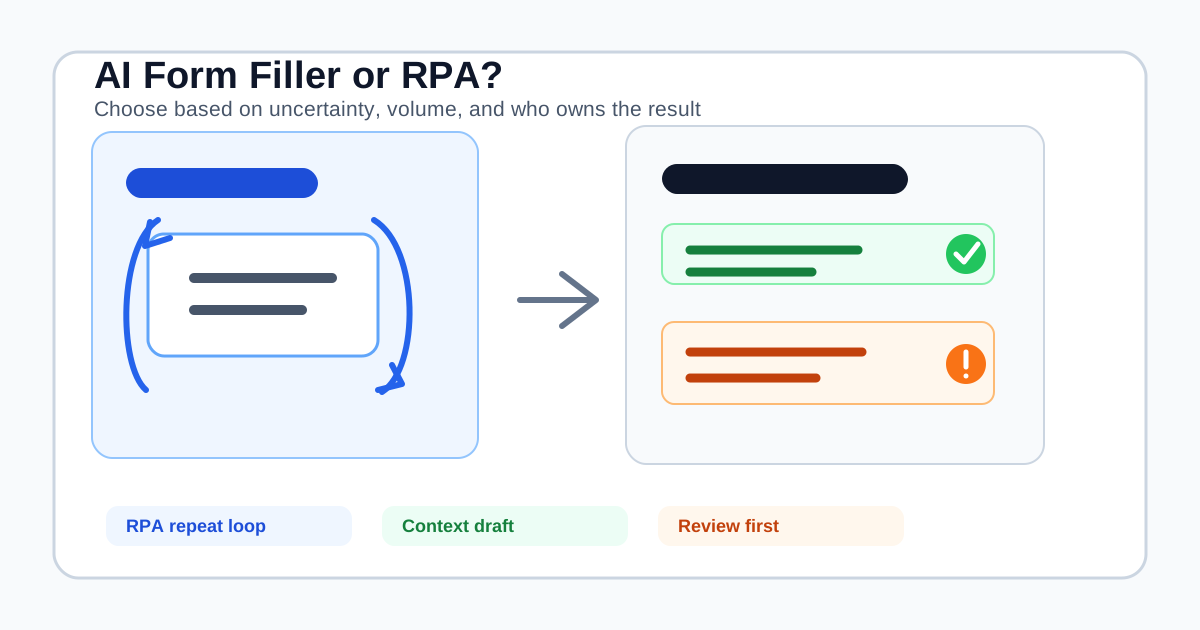
RPA is usually built to repeat a known process. An AI form filler is usually built to help a person complete the next form in front of them. RPA is stronger when inputs, screens, and outputs are stable and the same process runs at volume. A context-aware form filler is more useful when the fields vary, the wording changes, and someone needs to review the answer before sending it.
This guide compares the two categories, explains where an API or workflow platform is a better choice, and shows where SmartAutoFill fits without pretending to be an unattended browser robot.
What RPA is designed to do
Robotic process automation uses software to perform repeatable actions across applications. A typical browser RPA flow might:
- Launch or attach to a browser.
- Open a known URL.
- Locate controls through selectors or recorded UI elements.
- Copy data from one system or file.
- Fill fields, click buttons, and wait for page changes.
- Save a result, download a file, or continue to the next record.
Microsoft's web-automation documentation describes browser actions, UI elements, selectors, browser instances, and WebDriver-based execution as parts of this model. Robocorp's browser automation guide makes the operational boundary visible too: browser automation can fill and submit forms, but it still needs a driver, locators, browser state, and a defined process.
RPA is a good fit when the workflow has most of these properties:
- The same screens appear in the same order.
- The source data is structured and already approved.
- The process runs often enough to justify design and maintenance.
- A team needs schedules, run histories, retries, and failure handling.
- The destination has no useful API, or the UI is the approved operating surface.
- The task does not require a person to interpret each answer.
For example, a team might use RPA to move a controlled set of order records into a legacy portal, download a standard report every morning, or reconcile a fixed internal workflow. The value comes from repeatability and throughput, not from writing a thoughtful answer to a changing question.
What an AI form filler is designed to do
An AI form filler starts with an existing form and a source of context. It looks at visible labels, instructions, field types, and nearby page content, then drafts compatible values from a saved profile, pasted context, a scenario, or selected materials.
The normal workflow is shorter:
- Open the form that a person needs to complete.
- Select the profile or context that belongs to the task.
- Scan the current page.
- Apply a draft to compatible visible fields.
- Review and correct the page.
- Submit through the form's own control when the user is ready.
The key input is not a row in a queue. It is the meaning of the current form and the context that should inform an answer. A field called “Describe your current process” may need a short, destination-specific draft. A fixed RPA mapping can type a stored sentence, but it does not automatically know whether that sentence answers this version of the question.
SmartAutoFill is built for this reviewable browser workflow. The AI form filler product overview describes saved profile data, richer context, hosted credits, and compatible visible fields. The supported fields and data-handling reference documents the current limits: native text-like fields and some selects are supported, while radio buttons, checkboxes, custom dropdowns, and iframes are not reliably handled.
The simplest decision rule
Use this rule before comparing vendors:
| Your workflow looks like... | Start by evaluating... | Why |
|---|---|---|
| One stable page, many approved records, same fields every time | RPA or an API | Deterministic mapping and run control matter most |
| Many different forms, same person or company context | AI form filler | The labels and wording vary, but the source facts recur |
| A form you own, with responses, routing, and analytics | Form builder or workflow platform | You need to manage respondents after collection |
| A system-to-system update with a supported interface | API integration | Structured requests are easier to test and audit than clicks |
| A changing page where the next action needs interpretation | Browser agent with approvals | Flexible navigation is a different risk and control model |
The choice is not about whether one category is more intelligent. It is about where uncertainty lives. RPA reduces uncertainty by fixing the process. An AI form filler helps interpret the current page. An API removes the browser from the path. A workflow platform owns approvals and records.
RPA vs AI form filler: five buying differences
1. Stable mapping vs contextual mapping
RPA usually maps a known source value to a known control. That is exactly what you want when the source column and destination field are stable.
An AI form filler maps meaning. “Company website,” “organization URL,” and “business homepage” may refer to the same profile fact, but the surrounding prompt can change which answer is appropriate. This flexibility helps across unrelated forms, but it also creates a reason to review the result.
Do not use contextual generation where the value must be copied exactly from an approved record. Do not use a brittle column mapping where the form asks for a short explanation that changes with each destination.
2. Throughput vs operator efficiency
RPA earns its keep when the same process runs hundreds or thousands of times, with known inputs and a defined success condition. The team pays for workflow design, selector maintenance, monitoring, credentials management, and exception handling in exchange for repeatable execution.
An AI form filler is often a better fit for a person who completes several different forms in a day. It removes copy-paste and first-draft work without turning that person into a workflow maintainer. The goal is not to queue every possible destination. It is to make the current task easier to inspect.
If the business case depends on unattended volume, evaluate RPA, an API, or a governed operations platform. If the business case depends on reducing repeated typing between changing browser forms, evaluate a form filler.
3. Deterministic runs vs generated drafts
A well-built RPA flow should produce the same result from the same input and page state. That makes it easier to test and reconcile. It can still fail when selectors, login state, permissions, validation, or page layout changes.
An AI form filler produces a draft from context. The result may vary because the page wording, source material, or model plan varies. That is useful for free-text and semantically labeled fields, but it is not a substitute for an approval record or exact field mapping.
SmartAutoFill treats the generated result as a reviewable draft. It does not claim that every suggestion is accurate, complete, or appropriate. The user reviews values on the page and remains responsible for the final form.
4. Workflow ownership
RPA normally belongs to an operations, automation, or engineering team. Someone owns the selectors, schedules, credentials, logs, retries, and process changes. The workflow is an asset that needs maintenance.
An AI form filler normally belongs to the person doing the work. That person chooses the profile or context, opens the destination, reviews the values, and decides whether to continue.
This difference matters for procurement. If you need role-based approvals, run history, exception queues, audit evidence, and a shared system of record, a browser extension alone is not the full solution. It may be one operator tool inside a larger process.
5. Execution authority
Many RPA products can click submit as part of a defined flow. That authority can be appropriate for a controlled, low-risk operation with clear approvals. It should not be assumed for external applications, legal representations, payment actions, identity verification, or consent.
SmartAutoFill does not navigate sites or submit forms. It applies compatible values to the current page for review. The user remains responsible for sensitive, legal, payment, password, identity, attachment, consent, and final submission decisions.
That is a product boundary, not a missing shortcut. A wrong answer can be harmful even when the automation ran perfectly.
When a hybrid workflow makes sense
RPA and AI form filling do not need to compete for the same job. A governed process can use each where it is strongest:
- An API or RPA flow retrieves a controlled record from an approved system.
- A person opens a less predictable external form.
- An AI form filler drafts the repetitive contextual fields from the selected record or materials.
- The person checks the generated values, required choices, attachments, and declarations.
- A deterministic system records the result after the person submits through the normal page.
Another pattern is the reverse: an AI system classifies incoming information, a human approves the category, and RPA enters the approved structured values into a stable legacy application. The important point is to keep interpretation, execution, and accountability explicit.
Do not call a hybrid process “fully automated” if a person still makes a material decision. Human review is part of the workflow, not a cosmetic pause before the robot clicks the same button.
A practical evaluation checklist
Run the same questions against an RPA vendor, an AI form filler, and any browser agent you are considering.
Source and destination
- Is the source a stable table, a saved profile, a document set, or a changing page?
- Does the destination expose an API?
- Does the form use ordinary visible controls or custom widgets?
- Are fields inside iframes, repeated sections, or dynamically loaded steps?
Error and change handling
- What happens when a selector changes?
- What happens when a field is missing or a validation error appears?
- Can the run stop without saving or submitting?
- Can a person take over from the exact current state?
- Are skipped fields and uncertain values visible?
Governance and privacy
- Who owns the browser account and profile?
- Where are credentials, context, files, and run logs stored?
- Are approvals required for payment, identity, legal, or consent actions?
- Can the team prove which source and version informed a submitted value?
- Is the workflow allowed to process the data under the organization's policy?
Economics
- How many times does the workflow run each month?
- What is the cost of maintaining selectors and exceptions?
- Is model variability worth the flexibility for this task?
- Would a direct API be cheaper and easier to test?
- Does the team need a workflow editor, or does one operator need a browser helper?
Where SmartAutoFill is a good fit
SmartAutoFill is a good fit when a user already has the correct form open and needs help moving reusable facts into changing browser fields. Examples include:
- Completing a partner or client form with a known company profile.
- Drafting support or operations notes across different internal tools.
- Reusing a professional profile across application pages while keeping custom questions visible for review.
- Preparing a low-risk questionnaire from selected context and checking the result before sending.
- Testing realistic but fake values on a public sample form or staging page.
Use the public AI form filler test page with non-sensitive data before using a real workflow. Use Safe Mode for serious forms. More Mode can broaden hosted planning on lower-risk pages, but it does not make passwords, payments, CAPTCHA, identity fields, checkboxes, radio buttons, or final submission safe to automate.
If the workflow needs attachment context, paid AI Materials Pro can provide supported sources and, in hosted mode, may place one clearly matched material into a compatible native file input. You still inspect the selected file and submit manually.
When RPA or an API is the better purchase
Choose RPA or an API when you need:
- A fixed process run repeatedly against stable screens.
- Record-level progress, retries, and exception queues.
- Scheduled or unattended execution with explicit governance.
- Cross-system transfer owned by an operations or engineering team.
- A deterministic result that can be reconciled to a source record.
- A documented workflow that several operators maintain together.
Choose a form builder or workflow platform when you own the form and need to collect, validate, route, approve, and report on other people's responses. The AI form filler vs form builder comparison covers that category boundary.
The negative ICP: what SmartAutoFill is not for
Do not choose a general AI form filler or RPA tool as a shortcut for:
- Credential stuffing, account takeover, CAPTCHA or OTP bypass.
- Password management, payment card entry, bank instructions, or verification secrets.
- Mass spam, fake applications, fabricated survey responses, or deceptive outreach.
- Automated legal, medical, financial, tax, or identity decisions.
- Bulk submissions where no accountable person reviews the record.
- Replacing an approved CRM, API integration, document system, or audit platform.
RPA may be technically capable of clicking through a sensitive flow. Capability is not authorization. A production workflow needs an owner, a purpose, a retention policy, and an approval path that matches the consequence of an error.
The short answer for buyers
Choose RPA when the process is stable, structured, high-volume, and owned by a team that can maintain the workflow. Choose an API when the destination provides a reliable interface. Choose SmartAutoFill when a person is completing different browser forms and needs context-aware drafts with review kept in the loop.
SmartAutoFill is the reviewable middle: more helpful than retyping a profile into every form, lighter than building and maintaining a bot, and deliberately short of blind auto-submit. Start with the AI form filler product overview, test a representative page, and review SmartAutoFill pricing after confirming that the workflow needs a browser-side helper rather than a process automation platform.
The right question is not “Which tool can click the most?” It is “Where should interpretation happen, who owns the result, and what evidence must exist before a record leaves the browser?”