
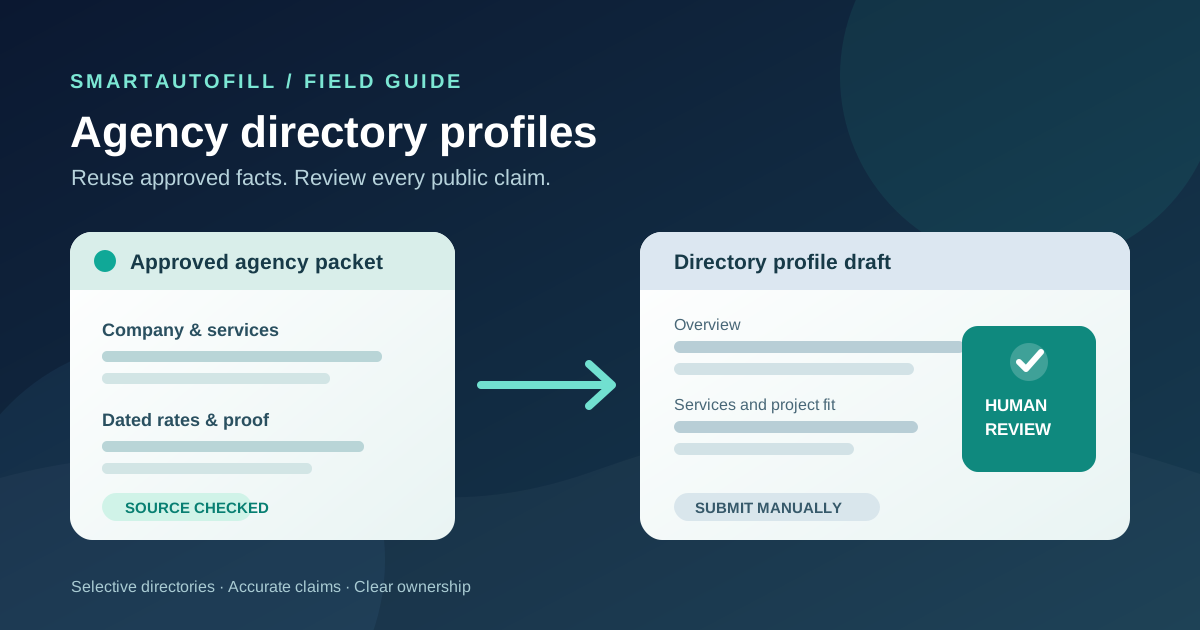
An agency directory profile is more than a place to paste a company bio. A prospective client may use it to judge your services, project size, location, and evidence of past work. A directory may review those claims before it publishes the listing. Repeating stable facts across a few relevant profiles is tedious, but submitting the same generic pitch everywhere can leave a misleading trail.
This guide is for an agency owner, operations lead, or marketing team completing a small number of directories that prospective clients actually use. The buying question is whether an AI form filler can reduce the typing while leaving positioning, proof, and publication decisions with a person.
Decide whether the directory deserves an application
Start with the buyer journey, not the form fields. Who searches this directory? Does it cover your real services and geography? Does it ask for evidence you can share with permission? Will a listing help a buyer compare providers, or is the directory mainly selling a backlink?
Clutch's company-profile guidance is a useful example of a buyer-facing profile. It describes fields such as company name, tagline, employee count, minimum project size, hourly rate, location, overview, and service focus. Clutch says submitted profiles go to its team for review and publishing. Those facts make the profile a commercial representation, not just a typing exercise. The specifics of another directory may differ, so read its current rules before starting.
Create a short destination list with an owner for each profile. Record the target audience, listing rules, paid options, required evidence, and date you last checked the information. If the audience and rules do not fit your agency, skip the form. An autofill tool cannot turn an irrelevant directory into a qualified lead source.
Build one approved agency profile packet
The useful source is a maintained record of what your agency can say publicly. Keep it smaller than a sales deck and give every changing fact an owner.
| Profile item | Reuse as a draft? | Human check before submission |
|---|---|---|
| Legal or trading name, website, main contact, office location | Usually, when current and approved | Confirm the directory's format and which address is public |
| Services, industries, platform expertise, agency overview | Yes, as a starting point | Match the directory's categories and remove unsupported specialties |
| Team size, minimum project, hourly rate | Only from a dated source | Confirm scope, currency, ranges, and whether you want these published |
| Case study, client name, logo, testimonial | Only with explicit permission | Check attribution rights, confidentiality, and the precise result claimed |
| Reviews, awards, certifications, verification | Do not infer from a biography | Provide genuine evidence through the directory's own process |
| Terms, payment, consent, password, identity checks | No | Complete personally through the directory's intended controls |
This packet works best when it includes approved alternatives: a two-sentence overview, a longer service description, and a small set of case study links. Mark each client example with its permission status. Separate current facts from aspirational positioning. A model may produce plausible prose, but it cannot know whether a client approved a named reference or whether a team-size number changed last week.
Do not put account passwords, payment details, private client records, or unnecessary personal data in the packet. If the application needs business registration or verification documents, decide whether and how to provide them through the directory's own process. Clutch's verification explanation illustrates why verification is a separate step from writing a profile: it involves checks against business and review information. A filled text field is not a verified badge.
What a review-first form filler can do
SmartAutoFill's AI form filler is a Chrome extension for the browser page in front of you. With a selected saved profile or context, it can draft and fill compatible visible fields for review. It is useful when several sites ask similar questions in different wording and you want a person to check the answer in each destination. It does not own the directory account, verify your claims, solicit reviews, navigate a complete registration journey, or publish the listing for you.
Hosted AI use consumes credits; see the current pricing options. Safe Mode is the conservative starting point. In hosted mode, More Mode can consider more supported field candidates during planning while the same sensitive and unfillable guards remain. The Safe Mode and More Mode guide explains the trade-off. Neither mode should be treated as authority to tick a certification, accept terms, or submit a profile.
Paid hosted AI Materials Pro can use selected approved materials as context. For a compatible native file input, it can place one clearly matched stored file. That does not mean it can manage a multi-image portfolio, a custom upload widget, or a directory's review process. Custom-provider mode does not include AI Materials or file filling. The file upload buying guide explains the native-input boundary in more detail.
If your directory asks for several portfolio images, a verified review, a phone challenge, or a custom category picker, handle those steps in the site's interface. Test ordinary fields first on the public sample form, then inspect the actual directory form. Compatibility with one page does not prove compatibility with every directory.
A careful workflow for one directory profile
1. Qualify the destination and choose the owner
Read the directory's eligibility, profile, review, and payment rules. Confirm your agency serves its audience. Assign one person to approve the public claims and one person to maintain the source packet; they may be the same person in a small firm. Record whether the destination has a free listing, paid placement, or separate verification. A paid upgrade is a commercial decision, not a field-mapping choice.
2. Select the right packet for that directory
Choose the current agency profile and only the case studies you can disclose there. If the directory separates services by category, choose categories yourself before drafting their descriptions. Where a form has a visible step for one category and another step later, review each step after it appears. Do not assume a form filler can decide the branch or move through the whole application.
3. Fill ordinary fields, then compare them with source facts
Use the tool for compatible visible text fields. Check the company name, public contact, employee range, rate, minimum project, locations, and every service claim against the dated packet. A subtle error in a rate or headcount can be more damaging than an empty field. Adjust the overview to explain who the agency helps and what projects it accepts; a directory profile should let a buyer decide whether to contact you.
Review all generated language for unsupported adjectives and invented results. If a directory asks for a client outcome, use a permitted case study and its actual measurement period. If you cannot substantiate the number, leave it out. Do not ask a form filler to invent a review or create client references.
4. Handle evidence and commitments yourself
Check file names, contents, and permissions before attaching a case study or logo. Complete verification, legal declarations, payment, passwords, and consent yourself. Do not treat a filled checkbox or selected plan as a harmless formatting detail. SmartAutoFill drafts and fills reviewable fields and avoids unsafe blind submission; the agency remains responsible for sensitive, legal, payment, password, consent, and final submission decisions.
5. Preview, submit manually, and maintain the record
Read the public preview as a potential client would. Check whether the service mix, geography, prices, and evidence match your site. Submit through the directory yourself, then record the profile URL, owner, publication state, and next review date. Update old listings when the agency changes. A form filler helps with initial entry; it is not a directory management system that synchronizes every profile later.
When a different tool is a better purchase
If you maintain hundreds of listings, need a central approval queue, or must track changes across platforms, evaluate a directory management product or a governed workflow. If your main goal is a campaign of bulk link placements, SmartAutoFill is a poor fit. Google's web search spam policies identify automated programs used to create links for ranking manipulation as link spam. The more useful goal for an agency is an accurate profile where the right buyer can assess fit.
The negative ICP also includes teams seeking fake reviews, fabricated certifications, scraped client details, credential or CAPTCHA bypass, and unreviewed submissions. Those are trust and authorization problems, not typing problems. A review-first tool should leave them outside the workflow.
For a small set of credible directories, the purchase test is concrete: prepare one approved packet, open one real profile form, and see whether the tool drafts useful ordinary fields while you can still verify every claim. Compare that result with manual entry and with any listing-management product you are considering. The winner is the workflow that keeps public facts accurate and maintainable, not the one that produces the most submissions.
See the SmartAutoFill product overview, check pricing, and try the sample form before using a live agency profile. If you also fill longer third-party applications, the partner program application guide shows where similar reuse stops at legal terms and program-specific judgment.