
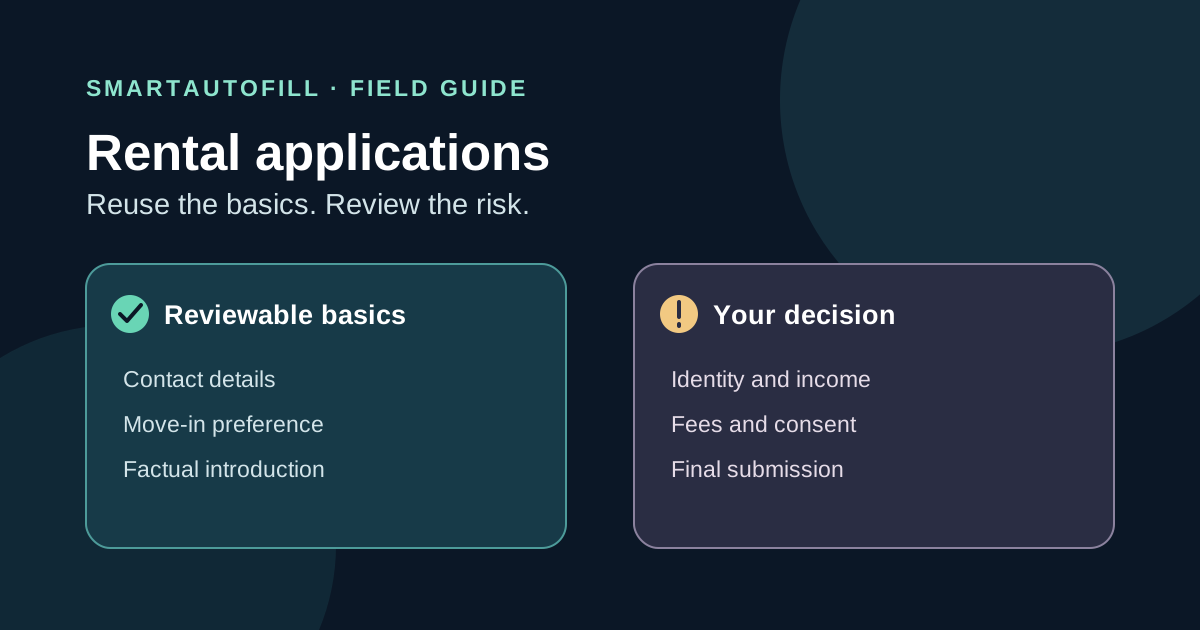
The third apartment application this week asks for your contact details and preferred move-in date again. Re-entering those ordinary facts is tiresome. The same form may then ask for a Social Security number, pay stubs, permission for a screening report, and an application fee. Treating all of those questions as one “autofill” job is a mistake.
An AI form filler can be useful for reviewable, low-risk fields on a legitimate rental form. It cannot establish that a listing is real, decide what to disclose, authorize a background check, pay a fee, or submit an application for you. This guide is for renters who want to save time without giving up those decisions. It is not a playbook for bulk applications, invented qualifications, or bypassing a landlord's process.
First, decide whether you need a separate form filler
If you are applying to several properties inside one rental platform, use that platform's own reuse option first. Zillow Rental Manager describes its portable application as reusable across participating rentals during a defined period. That is a better fit when the properties accept the same application, because the platform handles its own application and screening flow. Check its current fees and eligibility before paying; those terms can change.
A general browser form filler becomes more relevant when you encounter different, independently run application pages that ask for the same ordinary facts under different labels. Even then, the right question is not “Can this tool complete everything?” It is “Which facts are safe and accurate to reuse, and where does my own judgment start?”
There are also rental-specific tools. For example, ZRently Apply says it uses a renter profile on supported sites, shows the fields it will fill, and leaves final submission to the renter. A dedicated rental tool may fit better if its supported sites match your search and you are comfortable with the information its profile asks you to store. Read its current data-handling terms before adding identity or income documents. SmartAutoFill is a general AI form filler; it does not claim a rental-platform integration or a tenant-screening service.
| Your situation | Sensible starting point | Check before continuing |
|---|---|---|
| Several listings accept one platform's reusable application | That platform's own application | Participation, fees, and what screening data is shared |
| Different legitimate websites repeat basic contact and preference fields | Review-first form filling | Field matches, stale facts, and each property's requirements |
| A rental-specific extension supports the exact sites you use | Compare its current coverage and privacy terms | What goes in its stored profile and what stays manual |
| A form demands identity documents, payment, or legal consent immediately | Stop and verify the listing and recipient | Whether the request is legitimate, necessary, and timely |
Verify the listing before you enter data
Filling faster is harmful if the destination is fraudulent. The FTC's rental scam guidance describes fake listings that seek application fees or personal information such as Social Security numbers, ID images, and pay stubs. It recommends checking the address and property manager through independent sources and being wary of pressure to pay quickly.
Open the property manager's own site independently, confirm the property and application path, and contact the manager through a channel you found yourself if anything is unclear. A branded form and a working payment button do not prove that the recipient is genuine. Do this before uploading documents or running a tool over the page.
The FTC also explains that tenant background checks may involve identity, address, employment, income, credit, and other sensitive records. Those facts make a rental form different from a newsletter signup. Keep the scope of any saved autofill profile narrow, and do not put a Social Security number, ID image, bank details, or screening answers into general-purpose AI context just to save a few keystrokes.
Prepare a small, current source of truth
For ordinary reusable fields, make a short note you can verify at a glance:
- Your preferred contact name, email, and phone number.
- Your desired move-in window and household or pet details only if you are comfortable storing them and they are current.
- A concise, factual introduction if a form has an optional message field.
- Property-specific notes kept separate from your reusable profile: address, unit, rent, move-in availability, and questions to ask the manager.
Avoid a giant “rental master profile” that quietly accumulates old jobs, former addresses, reference contacts, or sensitive documents. Those details may be requested by a legitimate landlord, but their accuracy and disclosure deserve a fresh decision on each application. Never invent income, employment, residence history, references, or screening answers to make a form look complete.
If you use SmartAutoFill's AI form filler, choose a saved profile or selected context that contains only the ordinary facts you want considered on that page. The Chrome and Edge extension drafts and fills compatible, reviewable fields on the current page. Its hosted use is credit based; see current pricing and credits. Safe Mode and More Mode affect the filling scope, but neither mode turns a rental application into an automatic submission. AI Materials Pro can provide richer selected source context for paid hosted use, yet a document's presence does not make its contents safe to disclose or current.
Review the form in three passes
Pass 1: field match. Check every filled contact or preference field against the label beside it. “Current address” and “property address” are not the same thing. A preferred move-in date is not a promise that the unit is available. If a field is skipped, fill it yourself or ask the manager what is needed; do not force a guess.
Pass 2: disclosure. Complete identity, income, employment, landlord-reference, and background questions yourself through a verified process. Decide whether each requested document is appropriate for this stage. The FTC's rental scam advice is a useful reminder to question premature requests for highly sensitive information. SmartAutoFill is not a secure identity vault, credit-report service, or substitute for the property's required verification path.
Pass 3: action. Read screening authorizations, declarations, consent boxes, fees, and final submission language yourself. Check the amount and payee before paying through a verified channel. The extension does not blindly auto-submit; you remain responsible for legal, sensitive, payment, password, and consent fields and for the final click.
Here is a quick example. You are applying to an apartment managed through a website you have verified. The page asks for your contact details, ideal move-in month, a short note, employer details, income proof, a screening authorization, and a fee. A review-first fill might save time on the first three. You should write or verify the note, enter employment information yourself, handle the proof and authorization through the manager's intended process, and review the fee before submitting. If the page asks for an ID photo before you have verified the manager, stop the application instead of trying to finish it faster.
When SmartAutoFill is the wrong tool
Choose a platform's own portable application when the properties you want accept it and its screening workflow suits you. Choose a rental-specific service when its site coverage and stored-data practices match your needs. Use manual entry when a form is mostly identity verification, document upload, screening consent, or payment. A general AI form filler has little to add to those steps.
SmartAutoFill is also the wrong choice for mass applying to listings you have not checked, manufacturing rental qualifications, credential stuffing, password management, payment autofill, or submitting forms without reading them. These are outside the legitimate, review-first workflow.
If your task is filling changing but ordinary web fields, try the public AI form filler test page before touching a real application. For a broader explanation of how field scope works, read Safe Mode versus More Mode and the form autofill privacy and safety guide. The practical rule for rentals is simple: reuse verified basics, inspect every field, and keep identity, money, consent, and submission in your own hands.