
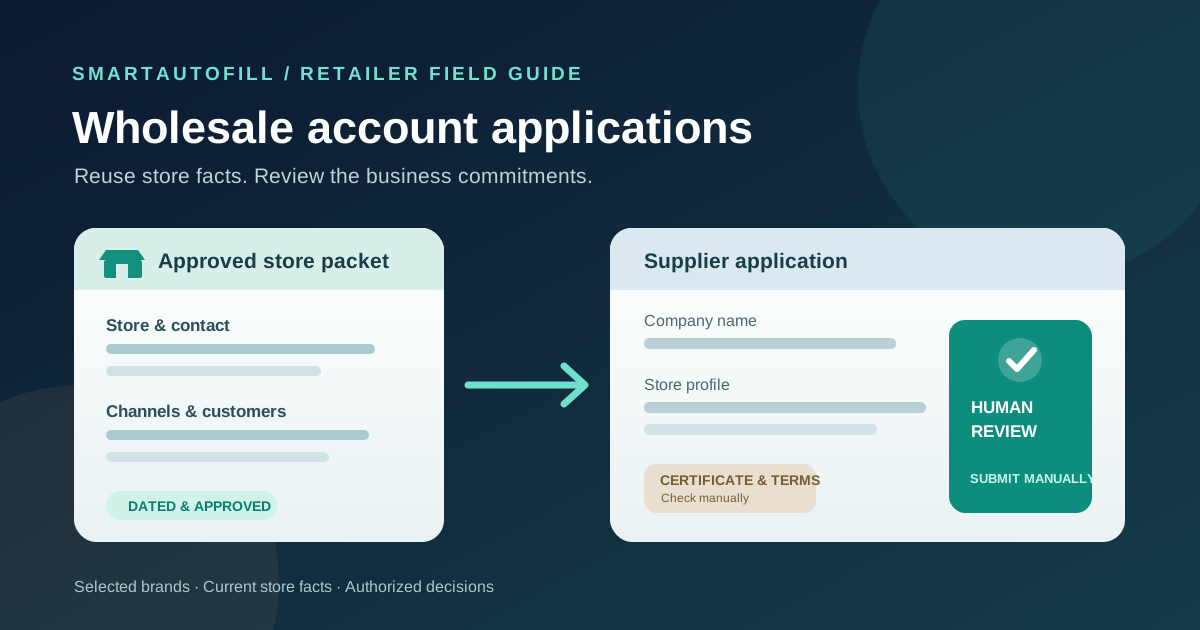
A retailer opening accounts with several carefully chosen brands will recognize the repetition: store name, website, addresses, business type, sales channels, and a short description of the customers it serves. Then the questions change. One brand wants a resale certificate with the application. Another asks for store photos after reviewing it. A third limits where approved retailers may sell its products.
That difference is the buying decision. An AI form filler for wholesale account applications may save time on ordinary browser fields when you have an approved store profile. It cannot decide whether your business qualifies, certify tax information, accept a distribution policy, or submit an application on your behalf. This guide is for independent retailers and small retail operations teams applying to a short list of brands they genuinely intend to carry.
Start with the brand fit, not the form
Before entering anything, read the brand's retailer requirements. Are your store type, geography, and sales channels eligible? Can you meet its opening order and ongoing merchandising expectations? Do you have permission to use the photos and references it requests?
The public EVER wholesale application illustrates why this check comes first. EVER describes the kinds of retailers it accepts, says approved retailers need a resale certificate before a first order, and states restrictions on third-party marketplace sales. Those are business choices, not fields to complete faster. A retailer that relies on an excluded sales channel should resolve that mismatch before drafting an application.
Create a short shortlist of relevant brands. Record why each fits your customers, who owns the relationship, its application requirements, and any channel or pricing restrictions. This makes the application a step in a purchasing journey rather than a volume target. If the terms would not work for your store, stop there.
Prepare an approved store packet
Keep one current source of truth for facts that are safe to reuse across applications. Give it a date and an owner. The packet should be easy to compare with the actual form, not an unstructured dump of every record the business owns.
| Item | Useful reusable source | What to review on each application |
|---|---|---|
| Trading name, website, contact, store address | Current business profile | Public versus billing or shipping address; authorized contact |
| Store format and customer description | Approved store overview | Whether the brand serves that market and how your wording fits its categories |
| Sales channels and locations | Current channel list | Any brand restrictions on marketplaces, websites, or specific stores |
| Product interest and expected order pattern | Buyer-approved plan | Real demand, quantities, and commitments; do not invent forecasts |
| Legal entity, tax ID, resale certificate | Business records held by the authorized owner | Accuracy, disclosure rights, and the destination's required process |
| Payment method, credit request, bank details, terms | Finance and legal decision | Complete manually through the brand's intended controls |
The Whole Earth Brands wholesale account form shows the mix clearly: contact and company information sit beside business type, tax ID, ownership questions, and a resale-certificate upload. The exact requirements vary by supplier. A store packet can help with company facts, but it should not turn a tax field or certificate request into an unexamined autofill target.
For the packet's narrative, write a few honest sentences about your assortment, customer base, and why this brand fits. Keep a dated list of store locations and authorized websites. If your channel mix changes, update the packet before opening the next application. Remove old forecasts and expired documents rather than trusting a plausible answer from last season.
Do not store passwords, card details, bank credentials, unnecessary customer information, or private employee records in drafting context. Keep tax and identity documents with the people and systems authorized to manage them. If a brand requires them, use its stated submission method and check the destination before uploading anything.
Where SmartAutoFill helps, and where it stops
SmartAutoFill's AI form filler is a Chrome extension that works on the current browser page. Using a selected saved profile or context, it can draft and fill compatible visible fields so a person can inspect the values. It is suited to the repeated, ordinary parts of a web application: store contact, address, website, and a reviewed description. It does not create a wholesale account, approve a reseller, navigate every step of a supplier portal, or place an order.
Hosted AI filling uses credits; compare the current pricing options. Safe Mode is a conservative starting point. In hosted mode, More Mode can consider more supported candidates during planning, while the same sensitive and unfillable guards still apply. The Safe Mode and More Mode guide explains that choice. Neither mode should be treated as permission to complete a declaration or guess a tax identifier.
Paid hosted AI Materials Pro can use selected approved materials as context. It can place one clearly matched stored file into a compatible native file input. This does not guarantee a supplier's custom upload widget, multiple documents, or the legal suitability of a certificate. Custom-provider mode does not include AI Materials or file filling. For a closer look at that boundary, read the file-upload buying guide.
Test the behavior on the public sample form before using a real application. Then inspect the supplier's page: some categories, address controls, and attachment fields may be custom components. Enter unsupported fields manually. Never infer that every field is safe merely because the extension recognizes it.
A review-first workflow for one application
1. Check eligibility and authority
Read the current supplier requirements, accepted store types, territory, channels, minimums, and document requests. Confirm that the person applying has authority to represent the retailer. Decide who can sign terms and who may provide tax or payment details. If the supplier's rules conflict with how you sell, do not use autofill to rush past that decision.
2. Select only the relevant store facts
Use the approved store packet for the particular location or business entity applying. A multi-store retailer should avoid mixing a headquarters address, a single-store shipping address, and another entity's resale document. Pick the right contact and website before filling. Check which information the supplier will make public or use for billing.
3. Draft compatible visible fields and compare each answer
Use the form filler for ordinary text fields and inspect the result against your packet. Watch for similar but different labels: “primary business” is not necessarily your legal entity type; “monthly purchase estimate” is not last year's revenue. If a field asks for expected volume, have the buyer approve a realistic figure. If a long-text answer explains why you want the line, adapt it to the brand and your actual customers.
Where the application branches after selecting store type or selling channel, choose the branch yourself and review the newly visible step. Do not expect the tool to infer your business model or finish a multi-step registration journey.
4. Handle certificates, commitments, and payment yourself
Check whether the requested resale certificate is current and belongs to the applying entity and jurisdiction. Follow the brand's instructions for format and upload. If an eligible native file input receives a file through AI Materials Pro, verify the actual filename and contents before proceeding. Enter tax IDs, licenses, identity information, financial details, and consent under the authorized owner's control.
Read any exclusivity, marketplace, pricing, payment, credit, and data-use terms. Do not let a filled checkbox stand in for agreement. SmartAutoFill drafts and fills reviewable fields and avoids unsafe blind submission; users remain responsible for sensitive, legal, payment, password, and consent fields and for the final submit action.
5. Preview, submit manually, and track the outcome
Review the entire application as the supplier will see it: entity, addresses, store description, expected orders, documents, and terms. Submit it yourself. Save the supplier name, application date, contact, status, and the version of the store packet used. If approved, move future ordering and account maintenance into the supplier's own portal or your retail operations system. An initial form filler is not a wholesale account management platform.
Buying checklist: form assistance or a broader system?
Before paying for any tool, try it on one representative application and ask:
- Are we completing a handful of different browser forms, or managing a large supplier network?
- Can the tool use a selected, dated store profile without mixing business entities or locations?
- Can a person inspect every proposed field before submission?
- Does it clearly leave tax, identity, payment, legal terms, and final submission to the authorized user?
- What happens when a supplier uses a custom control or asks for several documents?
- Who updates store facts when websites, locations, or purchasing plans change?
If the job is a small set of relevant applications, review-first help with ordinary fields may be enough. If the real problem is supplier discovery, document governance, approvals, purchase orders, or ongoing account synchronization, evaluate a system built for those responsibilities. Buying a browser filler for that whole process would leave the hard work unresolved.
The negative ICP is equally clear: people seeking mass applications to unrelated suppliers, fabricated store histories or purchase forecasts, another company's certificate, credential or CAPTCHA bypass, payment autofill, or automatic acceptance and submission. Those behaviors undermine supplier trust and are outside SmartAutoFill's purpose.
For a practical trial, compare the SmartAutoFill product overview and pricing, then use the sample form with non-sensitive store facts. If your team also completes supplier-side questionnaires, the RFP and procurement questionnaire guide covers that separate workflow.