
You have six partner portals to update. Each asks for a company description, contact details, and a slightly different account summary. Should you give a browser AI agent the whole task, or use an AI form filler while you work through each portal yourself?
The answer depends less on which tool sounds more advanced than on what you want to delegate. If the hard part is moving through websites, finding the right page, and coordinating several steps, an agent may be the category to evaluate. If you can get to the form and want help drafting ordinary fields from approved facts while keeping each answer in view, a focused form filler may be a better purchase. Some teams need both, at different stages.
Start with the job, not the label
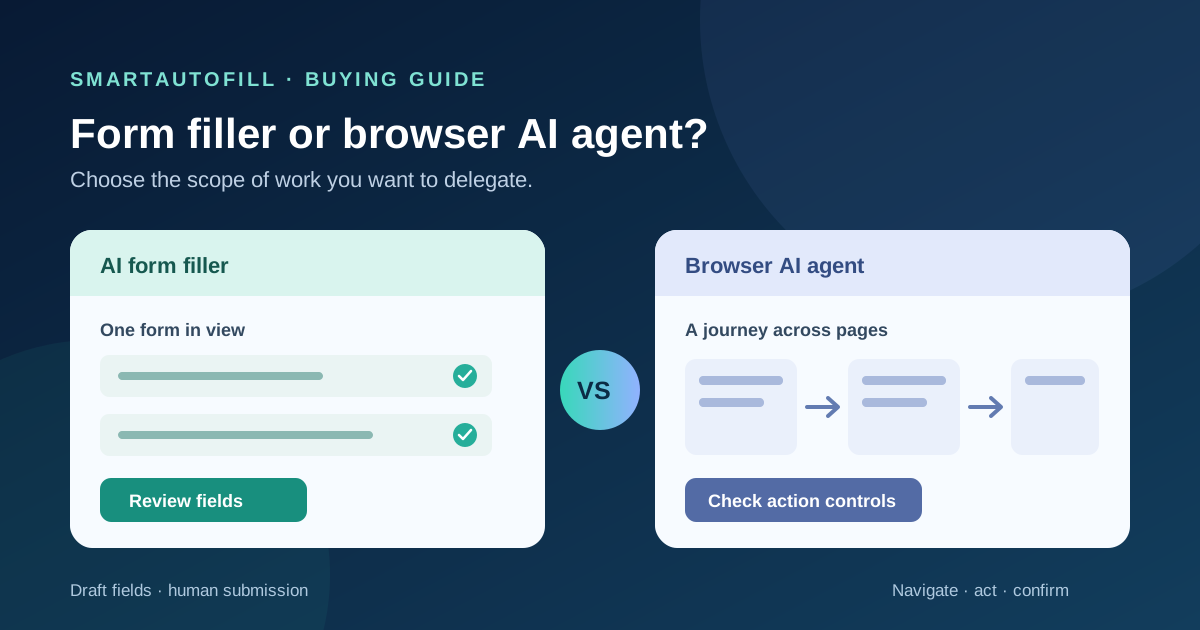
A browser AI agent is given a goal and can take browser actions toward it. The exact actions and approval rules vary by product. For a concrete example, OpenAI describes its cloud browser as able to read pages, click, and enter information, while noting that website and action support can vary. That broader scope is useful when the task itself spans pages. It also means the buyer has more to check: which sites the agent can reach, what it can see, and which actions require a person.
An AI form filler has a narrower job: help put relevant values into fields on the form in front of you. SmartAutoFill's product overview describes a Chrome and Edge extension that uses saved profile or context and hosted credits to draft and fill reviewable fields on the current page. You choose the destination and inspect what was filled. SmartAutoFill does not independently browse for forms, operate a whole account workflow, or blindly submit a finished form.
There is a third option that often gets overlooked: use the site's own saved profile, prefilled link, import, or API when it already solves the problem. Our guide to prefilled links and AI form fillers explains why form ownership matters there.
The purchase decision in one table
| What you need | Better starting point | Why |
|---|---|---|
| Reach several pages, find the correct form, and carry out a multi-step task | Evaluate a browser AI agent | Navigation and task coordination are the main work |
| Reuse approved facts across different forms you open yourself | Evaluate an AI form filler | Field drafting and review are the main work |
| Enter the same values into a site you own at high volume | Evaluate an API, import, or controlled automation | The workflow may be more reliable outside a human browser session |
| Handle a password, payment, legal declaration, or consent decision | Keep the responsible person at the controls | These are decisions and commitments, not reusable form facts |
| Submit many unsolicited forms without review | Neither | That is spam or unsafe automation, not a legitimate filling workflow |
The table is a starting point, not a promise that every agent can finish every site or that a form filler supports every field. Test the actual destination and the actual form controls before buying.
Where a browser AI agent earns its scope
Suppose your team must find each vendor's current partner portal, identify the right program, read its requirements, and then open an application. A form filler cannot do the finding or make the program choice for you. An agent might help with the navigation and research portion, subject to its product permissions and the site's restrictions.
That wider scope changes the trust question. A page may contain instructions, old information, or a link to the wrong destination. A browser agent may encounter those while deciding its next action. OpenAI's computer-use guidance specifically advises implementers who need guaranteed confirmation before consequential actions to constrain what the browser can do or use a runtime they control. That is not a claim that all agents behave alike; it is a reason to inspect the controls of the agent you are considering.
Ask for a demonstration using a real but low-risk workflow. Can you see the page the agent reached? Can you limit allowed sites? Does it pause before an external submission or account change? How does it handle a login or a form that changes after a selection? A polished demo on a static page tells you little about those boundaries.
Where a focused form filler earns its place
Now suppose you already have the right form open. You have a current company profile, approved product description, and contact details, but the portal labels the fields differently from the last one. The buying problem is no longer navigation. It is translating known facts into reviewable answers without retyping them from scratch.
This is the SmartAutoFill use case. Its saved profile and selected context can inform draft values for supported fields. Hosted AI credits cover its default AI filling flow; pricing and credit packs explain the account cost. Safe Mode and More Mode offer different filling scopes, but neither turns the extension into an autonomous browser agent. If you use paid hosted AI Materials Pro, selected files, text, or website sources can supply more context for a fill. They are reference material for drafting, not authority to invent a claim or approve a commitment.
You still inspect every populated field. The extension may leave unsupported or sensitive controls alone, and a website can change its field structure. Supported fields and data-handling details are a better place to check current limits than an assumption based on the word “AI.” For a particular destination, try a harmless example in the AI form filler test and then a small real form before relying on it for a recurring process.
A practical handoff for third-party forms
The two categories can complement each other if the boundary is explicit. A browser agent can help locate the destination and gather the requirements. A person can then open the chosen form and use a form filler to draft ordinary fields from an approved context packet. The person checks the answers and makes the final submission. This is a workflow design, not a claim that SmartAutoFill integrates directly with a particular agent.
For the six partner portals, that packet might contain one approved company name, a current public description, a support email, and product URLs. It should also name things the filler must not infer: revenue, security certifications, customer counts, legal status, and commitments about support or data handling. If a portal asks for a new claim, stop and get the owner of that fact to answer. A saved profile makes repeated facts easier to use; it does not make them permanently true.
The same principle applies to attachments. AI Materials Pro can inform a draft from selected sources, while a site's native upload control may still require a separate action and manual review. See the file-upload buying checklist before planning an attachment-heavy process. If the form branches across pages, our conditional-logic guide explains why visible fields and future steps should be evaluated separately.
Five questions to ask before paying for either tool
- Where does the task begin and end? If it starts with finding a portal and ends with a receipt, ask about navigation, site access, and completion evidence. If it begins with an open form and ends before submit, evaluate field quality and review speed.
- Which facts can be reused? Name an owner for each approved profile or source. Check how stale information is corrected before it reaches another portal.
- What can the tool change? Test selects, repeated sections, hidden fields, and attachments on the actual site. Do not infer support from a successful text-field demo.
- Where is the human checkpoint? Look for a clear view of proposed values and a deliberate final action. OpenAI's cloud browser guidance describes confirmation for consequential actions in that product; verify the behavior of any agent you buy. SmartAutoFill fills drafts on the page and leaves submission to you.
- What is the total cost of a correct result? Compare plan or credit costs with setup, review, correction, and recovery time. A tool that finishes a task quickly but makes an unsupported claim is expensive in a way the subscription price will not show.
If the work is a stable, owned, high-volume process, AI form filler vs RPA covers a different purchasing decision: whether to run deterministic automation instead of helping a person work through forms. An AI browser agent is a broader task delegate, not simply a new name for RPA.
Who should pass on SmartAutoFill
SmartAutoFill is a poor fit if your requirement is unattended cross-site navigation, account administration, CAPTCHA bypass, credential stuffing, mass unsolicited submissions, or a bot that accepts terms for you. It is also not a password manager or payment autofill tool. Password, payment, bank, identity-verification, and similar sensitive fields require the proper human and site controls.
For legitimate forms, users remain responsible for sensitive, legal, payment, password, and consent fields, and for deciding whether to submit. SmartAutoFill drafts and fills reviewable fields; it avoids unsafe blind submission. If that human checkpoint is central to your work, start with the SmartAutoFill product overview, pricing, and test form. If the job is to delegate an entire browser journey, evaluate agents on that broader task and their approval controls instead.