
An app marketplace listing can look like a marketing form until you reach its security, permissions, pricing, and support questions. A product team may already have an approved name, short description, screenshots, and support URL. It still has to decide exactly what the app does today, which data it accesses, and whether the marketplace's rules fit its release plan.
This is where an AI form filler for app marketplace listings can help a small software team: reuse stable, approved facts in compatible browser fields while a human checks the claims and controls the submission. It is a poor substitute for product testing, a compliance review, or a publishing workflow. The intended reader is a founder, product marketer, or developer preparing one or a few genuine apps for relevant marketplaces.
Start with the buyer and the marketplace
Before choosing a listing tool, decide why the app belongs in a marketplace. What problem does it solve for that platform's users? What evidence would let a buyer judge the fit? Does the app meet the platform's technical and policy requirements now, or is the team hoping a polished description will cover unfinished work?
The Atlassian Marketplace listing guide separates listing metadata and visual assets from privacy, terms, scopes, pricing, and technical distribution settings. The Shopify app submission guide likewise describes a review path with mandatory information and automated checks. These are examples of platform-specific processes, not a promise that any browser extension can complete their portals end to end.
Write down the release owner, target buyer, supported use cases, and current app version. Check the destination's current documentation and eligibility before filling its form. If the app is not ready for testing or its required disclosures are unsettled, finish that work first. A form filler cannot make an unready release reviewable.
Prepare a versioned listing packet
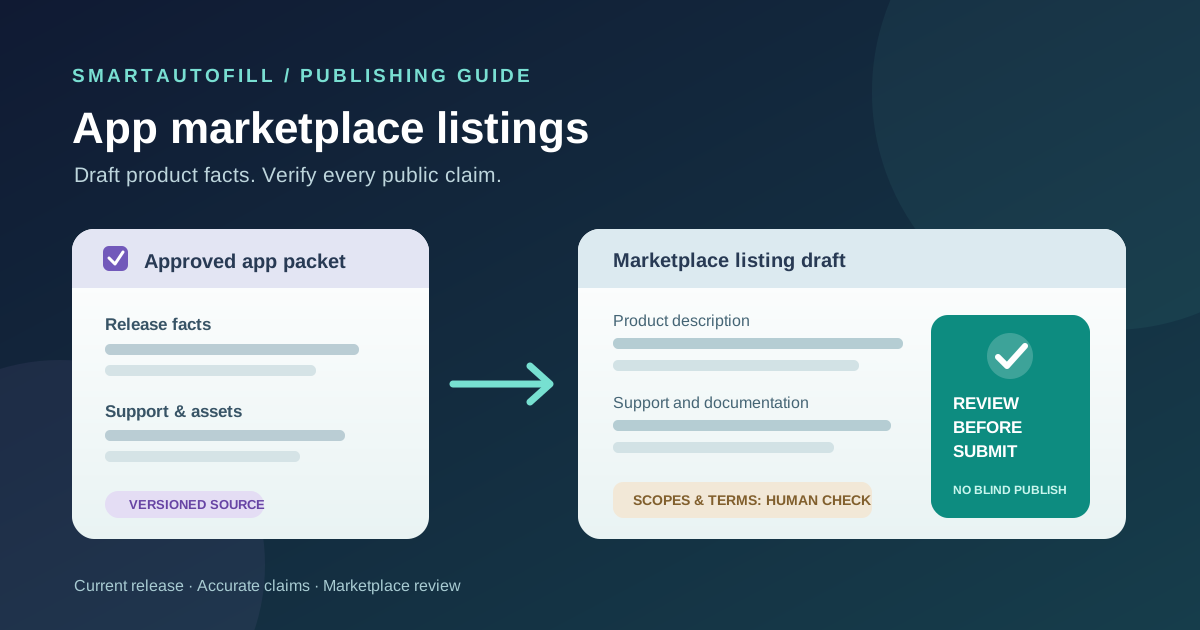
Keep one approved packet per app and release. It should be concise enough to compare against the portal but complete enough to prevent a plausible sentence from becoming an unsupported promise.
| Packet item | Reuse in ordinary fields? | Required human decision |
|---|---|---|
| App name, developer name, website, support contact | Usually, when current | Check platform naming rules and the public contact shown to buyers |
| One-line value statement, description, supported use cases | As a draft | Confirm the current release really delivers each claim |
| Product category, languages, supported platforms | Only from a current product record | Choose the destination's categories and capability labels yourself |
| Screenshots, logo, demo links, documentation | Reuse approved assets and links | Check rights, current UI, size rules, and whether the media represents the release |
| Data access, permissions, privacy policy, EULA, security answers | Do not infer from marketing copy | Have product, security, and legal owners verify the exact disclosures |
| Price, billing model, tax and payout information | Do not infer from prior listings | Finance and an authorized account owner decide and enter these values |
Atlassian's guide names a description, category, visuals, privacy policy, terms, scopes, and pricing among the listing work. Shopify's App Store requirements say apps must deliver the features described in their listings and require truthful listing information. That gives the packet a clear standard: it should describe the product customers can actually use, not the roadmap or a sales team's best case.
Date every source. A screenshot from an old UI and a support link that now redirects can undermine an otherwise accurate submission. Keep a short claims table with the feature, supporting release or documentation, and owner. Use the same discipline for statements about languages, integrations, customer data, and security. If the evidence is not ready, remove the claim until it is.
Do not put API keys, account passwords, reviewer credentials, private customer data, bank details, or unapproved security documents into the drafting packet. Supply any required access or financial information through the marketplace's intended, authorized process.
Where SmartAutoFill fits
SmartAutoFill's AI form filler is a Chrome extension for the current browser page. Given a selected saved profile or context, it can draft and fill compatible visible fields for a person to review. On a listing form, that may help with a developer contact, public support URL, short product overview, or other ordinary text fields that repeat across destinations. It does not test the app, decide its category, validate API scopes, pass marketplace checks, or publish the listing.
Hosted AI use consumes credits; see the current pricing options. Safe Mode is a conservative starting point. In hosted mode, More Mode can consider more supported candidates during planning while the same sensitive and unfillable guards apply. The Safe Mode and More Mode guide explains the distinction. Neither mode is authority to confirm a security statement or accept marketplace terms.
Paid hosted AI Materials Pro can use selected approved materials as context. It can place one clearly matched stored file into a compatible native file input. Marketplace portals often require several screenshots, a logo, or custom media controls; those still need manual handling unless a specific input is supported and the chosen file has been checked. Custom-provider mode does not include AI Materials or file filling. The file-upload buying guide covers that boundary.
Try the public sample form with non-sensitive app facts first. Then inspect the real marketplace page. Some controls may be custom widgets, conditional steps, or account-specific flows. Compatibility with a sample form does not establish a platform integration or guarantee that every field can be filled.
A review-first listing workflow
1. Check readiness before writing the pitch
Confirm the app is stable enough for the destination's review, the release version is known, support is staffed, and the privacy and policy documents are approved. The marketplace may require technical tests or configuration outside the listing form. Assign owners for product claims, security answers, legal terms, and account administration. A single marketer should not have to guess on behalf of all four.
2. Select the right product packet
Choose the packet for the app and release you are submitting. If the team maintains several apps or regional versions, avoid one context that mixes their features, screenshots, or support contacts. Compare the destination's field labels with the packet. A "supported languages" field may refer to the app UI rather than documentation or marketing pages; do not fill it from a vague claim that the product is multilingual.
3. Draft ordinary fields, then test every claim
Use the form filler on compatible visible fields and inspect each proposed value. Tighten the headline for the platform's buyer and category. Check that the description names a real problem, supported features, limitations, and the right user. Remove claims about automatic actions, compliance, or integrations that the current release cannot support. Verify links and image captions against the live app.
If the portal reveals new fields after you choose a category or distribution option, make those choices yourself and review the new step. Do not assume a form filler can navigate a complete submission flow or make a product decision from nearby text.
4. Complete policy, security, and business fields with their owners
Have the responsible people confirm permissions, data access, privacy statements, support commitments, pricing, tax, payout, and any declaration or agreement. Read what the portal asks rather than pasting a generic answer from another marketplace. If a native file input receives a selected asset through AI Materials Pro, verify the actual filename, content, and publication rights. Keep test credentials and secrets out of saved drafting context.
SmartAutoFill drafts and fills reviewable fields and avoids unsafe blind submission. Users remain responsible for sensitive, legal, payment, password, and consent fields, as well as the final submission. A checked box or completed security answer is a business commitment, not merely a formatting detail.
5. Preview and submit manually
Read the final listing as a buyer and as a reviewer. Does it tell the truth about who the app helps, what it requires, and what it does not do? Do the screenshots show the current product? Are support and policy links live? Submit through the marketplace yourself, then record the submission date, owner, app version, review status, and any reviewer questions. When the release changes, update both the source packet and the published listing.
Buying test: form filler or release management?
Run one real, low-risk listing draft and ask these questions before buying a tool:
- Is the bottleneck repetitive browser entry, or are claims and approvals still unresolved?
- Can we select a versioned packet for the exact app without mixing products?
- Can we inspect and correct every proposed field before submission?
- Who owns screenshots, scope explanations, pricing, and policy answers?
- Does the destination use ordinary fields or custom controls that need manual entry?
- Who maintains the listing after an app update or marketplace review?
If the job is a handful of different browser forms, review-first assistance may remove duplicate typing. If the team needs centralized release approvals, asset management, compliance evidence, or API-driven publishing, evaluate a system built for those functions. The cross-listing software comparison describes a related boundary for product catalogs; an app marketplace has its own technical and policy gates.
The negative ICP includes teams seeking mass clone listings, invented feature or security claims, fake reviews, credential or CAPTCHA bypass, payment autofill, or automatic acceptance and publication. Those goals conflict with a buyer's trust path and with SmartAutoFill's review-first purpose.
See the SmartAutoFill product overview, compare pricing, and try the sample form before using a live marketplace portal. For another third-party application with a different approval model, read the partner program application guide.