
Your password manager already fills your login. It may even fill your name, address, or a few custom fields. Then you reach a partner application asking for your company's current product description, target customer, support process, and an explanation of how you handle a particular request. Do you need another autofill tool?
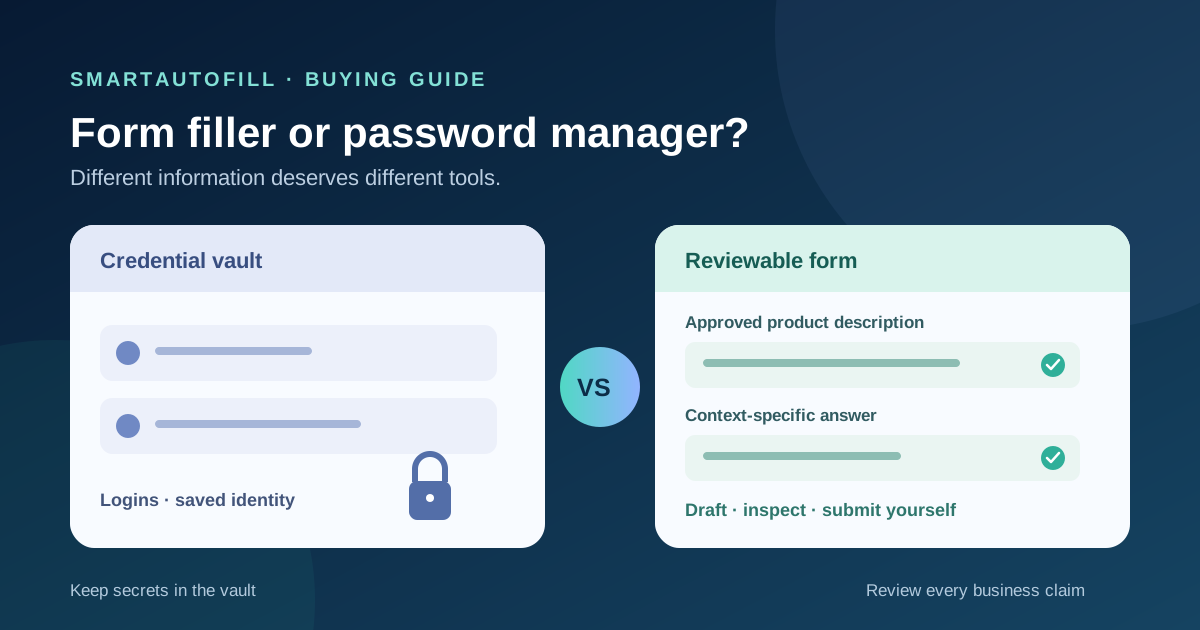
Maybe. The useful question is which information is being filled, and who should decide the answer? A password manager is the right home for credentials. An AI form filler can help draft ordinary, reviewable answers from selected context when the wording and layout change between third-party forms. Neither should make a legal promise, consent decision, or payment choice for you.
A password manager is more than a password box
It would be unfair to say password managers only enter usernames and passwords. 1Password's browser extension describes filling logins, two-factor codes, credit cards, and other saved information. Bitwarden's browser autofill documentation also covers credentials and other vault items, with options for fields beyond a basic login. Product features and defaults differ, so check the manager you actually use.
That breadth matters. If your recurring form only asks for a saved address and contact details, your existing password manager or browser autofill may already finish the job. If the same site has a stable extra field, a saved custom field may be simpler than bringing AI into the process. Bitwarden, for example, documents custom field autofill that matches a saved field name to a page field. You still need to set up and maintain the right value.
The gap appears when a form asks a question rather than naming a fixed data slot. “Describe your service for our retail customers” and “What problem does your product solve for this audience?” may draw on the same approved product facts, but they are not the same field label. A vault entry should not be expected to judge that wording for you.
Where an AI form filler helps
SmartAutoFill is a Chrome and Edge extension for filling forms you have opened. Its saved profile and selected context can inform draft values for compatible fields on the current page. Hosted mode uses account credits; SmartAutoFill pricing shows the current credit options. Safe Mode and More Mode change the scope of filling, while the person using the form remains responsible for checking the result.
For a team handling legitimate applications across different portals, a useful context packet might contain an approved company name, public product description, support email, and a dated list of factual capabilities. Paid hosted AI Materials Pro can supply selected files, text, pages, or website sources as context for a fill. A source is evidence for a draft, not permission to invent a claim. If the context says nothing about a certification or a revenue figure, that field needs the person who owns the fact.
This is a different job from protecting a login. SmartAutoFill is not a password manager. It excludes password, payment card, bank, CAPTCHA, government identifier, and similar sensitive controls from filling. It drafts and fills reviewable fields; it does not blindly submit a form. The supported-fields and data-handling page explains current control types and limits, including where custom widgets or file inputs need closer inspection.
Use the tool that fits the field
| Field or task | Better starting point | Human check |
|---|---|---|
| Site login, password, passkey, or one-time code | Password manager and the site's authentication flow | Check the site and account before signing in |
| Saved address or standard contact details | Existing browser or password-manager autofill | Verify the recipient and value |
| Stable, site-specific custom field | Password-manager custom field, if supported | Keep the saved value current |
| Open-ended description drawn from approved business facts | Review-first AI form filler | Read every drafted claim on the page |
| Payment, legal declaration, identity verification, or consent | Responsible person using the intended controls | Make and authorize the decision yourself |
You do not have to choose one extension for every field. A password manager can handle entry to the site, and an AI form filler can help with ordinary questions after login. Keep the credential in its vault. Do not copy it into a SmartAutoFill profile or AI Materials source just to make the whole page look filled.
A five-field buying test
Before adding a paid tool, open a representative form with non-sensitive test data and try these five fields:
- Login. Let your password manager handle it. Confirm that the saved item matches the intended site. If this is the only repetitive step, stop here.
- Contact information. Try your existing autofill first. A second tool has little value when a reliable saved identity already covers the page.
- A fixed custom field. If the exact same field recurs on one site, test a password-manager custom field. Check how often its value changes and who updates it.
- A variable business question. Give the AI form filler a small, approved context packet and inspect the draft. Ask whether it used the right fact, left unknowns unresolved, and matched the form's wording without overstating anything.
- A commitment field. Identify the point where the form asks for a signature, payment, eligibility statement, terms, or consent. Leave that with the responsible person and the site's own controls.
This test measures the cost of a correct result, not just the number of keystrokes saved. Include the time spent preparing source material, reviewing answers, correcting a wrong draft, and handling unsupported controls. The SmartAutoFill test form lets you try the filling experience before moving to a consequential form.
Review behavior matters more than an autofill label
Password managers and AI form fillers have different trust boundaries. A credential vault protects secrets and chooses when to reveal a saved item to a site. An AI filler receives selected context and page details to propose visible answers. Both deserve deliberate use on unfamiliar sites, but the information and risks are not interchangeable.
As one product-specific example, 1Password's autofill security guidance says users initiate filling and describes settings for confirmation and automatic submission. Those settings belong to 1Password; do not assume another manager behaves the same way. SmartAutoFill's boundary is simpler to state: it fills draft values on the page, you review and correct them, and you submit manually. It does not offer a credential vault or a safe route around a site's login controls.
For long forms, review is especially important when a field sounds familiar but asks something different. “Support hours” is not “response time”; “countries served” is not “countries where data is stored.” A saved paragraph can be factually correct and still answer the wrong question. AI may produce a plausible draft that needs the same scrutiny. Compare each answer with the source and with the exact wording on the destination form.
If the page has conditional sections, custom dropdowns, or attachments, evaluate those separately. Our conditional-form buying guide explains why filling visible fields is different from navigating future branches. The file-upload guide covers what to check when a source document or native file input is part of the work. If the repetitive work is only names, addresses, and card details, the browser autofill comparison may be the more useful next read.
Who should buy what?
Keep the password manager for authentication and other vault items it handles well. Add a focused AI form filler when you repeatedly answer varied, legitimate forms using approved profile or business context, and you can review each result before submitting. SmartAutoFill's product overview, pricing, and test form are enough to check that fit before committing to a workflow.
Pass on SmartAutoFill if you want password storage, credential stuffing, payment autofill, identity verification, CAPTCHA bypass, mass unsolicited submissions, or a tool that signs and submits without review. Users remain responsible for sensitive, legal, payment, password, and consent fields. The right purchase may be a better password-manager setup, an owned workflow integration, or no new tool at all.