
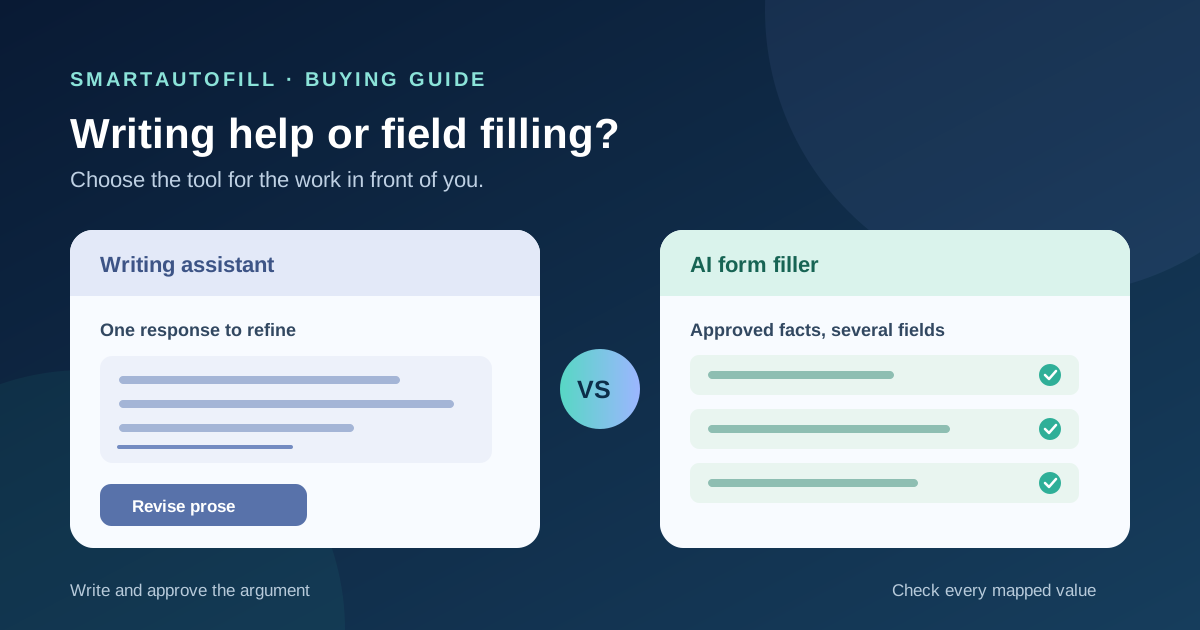
You are halfway through a partner application. Grammarly helps you tighten a paragraph about your product. The next portal asks for the same company name, support email, audience, and product facts under different labels. Do you need better writing help, or help filling the form?
That distinction matters more than the word “AI” in either product's name. A writing assistant is useful when the hard part is expressing an answer. A form filler is useful when the hard part is placing known, approved facts into the right reviewable fields across changing forms. Some workflows need both. Others need neither.
What Grammarly is solving
Grammarly is not limited to correcting spelling. Its generative AI guidance describes help to compose, rewrite, ideate, and reply. Its paragraph-level rewrite guidance explains how users can revise a selected passage. Those are useful capabilities when a form asks for a careful explanation, a short bio, or a response whose tone needs work.
Imagine a single question: “Why is your team a good fit for this program?” You may need to choose evidence, make an argument, and write in your own voice. A writing assistant can help you shape that draft. You still decide what is true, whether the answer fits the program, and whether the final wording represents your organization.
Grammarly's offerings and availability change, and its broader suite includes more than one kind of AI help. This article compares the writing workflow described in those public materials with SmartAutoFill's form-filling workflow; it is not a claim that Grammarly can never interact with other parts of a page. Test the current product you use on your actual site.
What an AI form filler is solving
Suppose five forms ask for your product name, a contact address, a description, a customer segment, and a link to documentation. The labels differ, and one form asks for 50 words while another asks for 150. You have an approved source packet, but copying each fact into each field is slow and easy to misplace. That is the SmartAutoFill product use case.
SmartAutoFill is a Chrome and Edge extension. You open the form, choose saved profile or selected context, and run a fill on the current page. Its hosted mode uses account credits; pricing and credit packs describe the current offer. The extension drafts and fills compatible, reviewable fields, and you correct them before you submit. Safe Mode and More Mode adjust the filling scope, but neither converts the extension into an autonomous browser agent or a writing editor for every possible surface.
For richer source material, paid hosted AI Materials Pro can use selected text, files, pages, or website sources as context. That can help with a factual answer, but a source does not authorize a new claim. A stored description may be outdated; a PDF may discuss a feature you have not shipped. The person filling the form must check the destination question against the current approved fact.
A practical buying table
| The hard part of the work | Better starting point | What to verify |
|---|---|---|
| One original answer needs clarity, tone, or structure | Writing assistant such as Grammarly | Whether the final words are accurate and appropriate |
| Many ordinary fields need approved facts placed under different labels | Review-first AI form filler | Whether each field got the right current fact |
| The same exact phrase repeats in a stable field | Saved field or text expander | Whether the phrase is still current |
| The task requires finding pages, navigating steps, and acting across sites | Browser agent or a human-led workflow | Site access, action limits, and approval points |
| A form asks for payment, a legal attestation, a password, or consent | The responsible person using the site's controls | The actual commitment and authority to make it |
If the form consists mainly of one long essay, SmartAutoFill may add little. If it consists mainly of fixed contact details, browser autofill may already be enough. A paid AI filler earns its place when the forms vary but the approved underlying facts recur.
A field-by-field workflow that keeps ownership clear
Start with a small packet of facts you would be comfortable using for the destination: legal company name, public product description, approved support channel, current URLs, and an owner or review date for any claim likely to change. Leave passwords, payment data, personal identity numbers, and confidential records out of that packet. Keep a note of unknowns rather than asking AI to guess them.
Open the third-party form yourself. Check that it is the intended destination and read any instructions before filling. SmartAutoFill can then draft values for compatible fields from the context you selected. Review the populated page immediately. For a question asking for original reasoning, you may use a writing assistant to revise your answer. Check the revised version against the source packet and the question; a polished sentence can still be wrong.
Finally, let the right person handle any sensitive, legal, payment, password, or consent field and the submission itself. SmartAutoFill avoids unsafe blind submission. It does not click through the site to find more forms. See the supported-fields and data-handling page for current boundaries around custom controls, attachments, and sensitive fields. If a native file input is part of the work, the file-upload buying guide explains the separate checks it needs.
This division of work also makes corrections easier. If a product description changes, update the approved source rather than rewording the same outdated paragraph in twelve places. If an answer is an argument rather than a fact, write it for that specific audience and get the accountable person to approve it. A form filler does not turn a writing judgment into a reusable field value.
Where each tool can go wrong
A writing assistant can make a sentence sound confident without supplying evidence. When a form asks about certifications, customer counts, data practices, or contract terms, fluency is not proof. Ask who owns the claim and where the current approved answer lives.
A form filler can map the wrong fact to a plausible-looking field. “Support hours” is not “response time,” and “available in a country” is not “data hosted in that country.” Even when every sentence in the source packet is true, the proposed answer may not address the destination's exact question. This is why SmartAutoFill fills the page for review instead of submitting it for you.
Both tools may encounter unsupported form controls. Text fields, custom editors, dropdowns, file inputs, and multi-step pages do not behave alike. Try the AI form filler test page with harmless data, then test a small real workflow before assuming a full application will work. If the site branches based on choices, use the conditional-logic buying guide to separate visible fields from future steps.
A short purchase test
Take one representative form and time three parts separately: gathering approved facts, drafting and placing values, and checking the result. Then ask:
- How many fields can be answered from current approved context, and how many need original judgment?
- Does a writing assistant already solve the slowest part, or is copying and matching fields still the bottleneck?
- Can the person responsible for the form see every proposed value before submission?
- What happens when a question is missing from the context or the website changes its controls?
- Would a saved snippet, built-in profile, or text expander be simpler for this exact task?
Do not measure success by the number of boxes filled. Measure how much time you save on a correct, reviewed submission. SmartAutoFill pricing and the test form make it possible to evaluate that before committing to a recurring workflow.
Who should choose a different tool
Choose a writing assistant when you mainly need to develop an original narrative or improve tone in a few fields. Choose a form filler when you repeatedly enter approved profile or business facts across legitimate third-party forms and can review each draft. A browser agent is a different category if the job involves cross-site navigation; our browser agent comparison covers that boundary.
SmartAutoFill is not for spam, credential stuffing, password management, payment autofill, CAPTCHA bypass, fabricated answers, or unattended mass submission. Users remain responsible for sensitive, legal, payment, password, and consent fields and for the final submit action. If that review-first scope matches your work, start with the product overview, pricing, and test form.