
SaaS onboarding often starts with a form that looks harmless: company name, team size, primary use case, current tools, technical contact, launch target, and a box for anything else the implementation team should know.
Then the same customer answers similar questions in a kickoff scheduler, implementation portal, support intake, security questionnaire, and CRM record. The problem is more than typing. Re-entering context creates drift: one form says the customer uses Salesforce, another says HubSpot, and a third leaves the integration requirement blank.
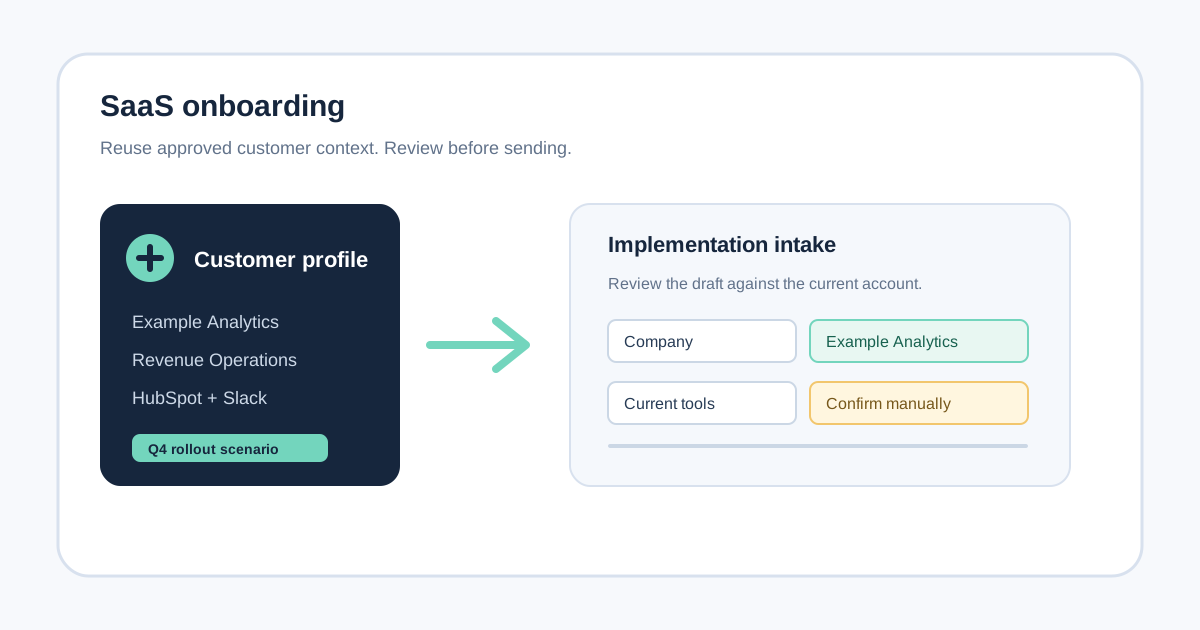
An AI form filler can help with that narrow part of the workflow. It can use a selected company profile or onboarding scenario to draft compatible fields on the form a person is already reviewing. It should not replace the CRM, decide the customer's onboarding track, make promises on behalf of the business, or submit a sensitive record without review.
This guide explains where the fit is, how to prepare useful context, what to keep manual, and when an API, CRM workflow, or customer onboarding platform is the better purchase.
What a SaaS onboarding form is trying to capture
An onboarding form usually serves several jobs at once:
- Identify the customer and the people involved.
- Understand the customer's goals and expected launch.
- Capture the technical environment and integration constraints.
- Route the customer to self-serve, guided, or implementation support.
- Give a customer-success or implementation team enough context for the next conversation.
Those jobs should not be confused with the job of a form filler. The form owns data collection. The CRM or onboarding system owns records and follow-up. A form filler only helps a person move already-known information into the current browser form.
That distinction is important when comparing tools. Onboarding form guidance from involve.me describes the handoff problem clearly: sales and customer success need shared context so the customer does not have to repeat the same answers. OrbitForms' onboarding automation guide also emphasizes auditing which fields are actually needed before adding more questions.
The buying signal is therefore specific: your team completes several changing onboarding forms for real customers and already has approved source information. If you need to collect responses from customers, route them, and measure completion, start with an onboarding form or workflow platform instead.
Where an AI form filler helps
SmartAutoFill is most useful after the customer context already exists and an operator opens a new form. A customer-success manager, solutions consultant, or implementation specialist might need to complete:
- A partner's implementation intake form.
- A marketplace or integration setup questionnaire.
- A kickoff request on a separate scheduling or services portal.
- A support or technical handoff form.
- A vendor's onboarding page for a shared integration.
- A low-risk internal form that records the next onboarding action.
The same approved facts can recur across these destinations:
- Company and website.
- Primary contact and role.
- Team or department leading the rollout.
- Product use case and desired outcome.
- Current CRM, help desk, or analytics tools.
- Implementation scope and target timeframe.
- Technical contact and known constraints.
- Short notes from a discovery call, when the notes are appropriate to reuse.
The labels and wording change from one portal to another. “What are you hoping to achieve?” and “Describe your primary use case” may point to the same source context, but they still need a human to check whether the answer fits the destination.
That is the useful middle ground: less copy-paste than a blank browser form, less maintenance than a fixed browser bot, and enough control for an operator to catch a stale or overconfident draft.
A simple source model for onboarding context
Before asking any AI tool to fill a form, separate your information into three layers.
1. Stable identity facts
These are facts that usually remain consistent for the customer:
- Legal or operating company name, where appropriate.
- Public website and company domain.
- Primary business contact.
- Account owner or customer-success contact.
- General team or department.
Even stable facts need a check. A parent company, subsidiary, brand, and billing entity may all have different names. Do not treat “company name” as unambiguous merely because it appears in a profile.
2. Engagement-specific facts
These depend on the project, product, or contract:
- The customer's stated use case.
- The product areas included in the rollout.
- Current systems to connect.
- Implementation phase and launch target.
- Number of users, locations, or teams involved.
- Known blockers and requested help.
This layer should be stored as a scenario or selected context, not mixed permanently into a generic company profile. A customer can have multiple products, regions, business units, or rollout phases.
3. Decision and commitment fields
These should generally remain manual:
- Contract, pricing, or commercial commitments.
- Security or compliance attestations.
- Legal representations and certifications.
- Data-processing or privacy confirmations.
- Approval, consent, signature, and final submit controls.
- Any answer that changes the customer's entitlement or support level.
An AI draft can remind an operator where a field is located, but it should not silently make a promise or select a consequential declaration. The responsible person needs to read the question and source before answering.
How to prepare a reusable onboarding profile
A useful profile is not a dump of every note your team has ever collected. It is a source that is easy to select, understand, and review.
Start with a short core profile:
Company: Example Analytics
Website: https://example.test
Primary contact: Alex Chen, Head of Operations
Team: Revenue Operations
Core product use case: Consolidate weekly pipeline reporting for the sales team
Current tools: HubSpot CRM, Slack, and a warehouse managed by the data team
Create a separate scenario for the specific onboarding motion:
Scenario: Q4 pipeline reporting rollout
Scope: Sales and revenue operations teams in North America
Target: First dashboard review before the October planning meeting
Known constraint: The data team must approve the warehouse connection
Open question: Confirm which regional teams join phase one
The last line is intentionally not a filled answer. It tells the operator where uncertainty remains. Good source context should make unknowns visible instead of encouraging the model to invent a completion.
Keep dates, ownership, and status current. An onboarding form filler is only as reliable as the context selected for this customer and this project. If the profile says “Salesforce” because it was true six months ago, the generated answer can be well-written and still wrong.
The review-first workflow
For a real SaaS onboarding task, use this sequence:
- Confirm that you are authorized to complete the destination form.
- Open the current form and read its purpose, audience, and instructions.
- Select the customer profile and the scenario that belong to this workflow.
- Scan the visible fields and identify which ones are ordinary, contextual, or sensitive.
- Generate a draft only for compatible fields with a clear source.
- Review every applied value against the form wording and the current customer record.
- Complete choices, attachments, declarations, and uncertain fields manually.
- Submit through the form's own control only when the accountable person is ready.
SmartAutoFill's role is steps three through six. It uses a saved profile or selected context to draft compatible visible fields on the current page. It does not become the system of record, determine the customer's implementation plan, or submit the form for you.
The AI form filler product overview explains the general workflow. The supported fields and data-handling reference describes why native text-like fields are the reliable center, while custom widgets, choice controls, unusual page structures, and sensitive fields may need manual handling.
Examples of good and bad candidates
Good candidate: partner integration intake
The partner asks for company name, website, implementation contact, current CRM, use case, and a short description of the integration goal. Those answers already exist in an approved customer scenario. The operator can draft the ordinary text fields, compare them with the partner's wording, then handle any technical or contractual question manually.
Good candidate: internal kickoff preparation
An implementation team uses a new internal form to prepare a kickoff. The form asks for account owner, customer segment, product modules, launch target, and open risks. A selected scenario can reduce repetitive typing, but the owner should verify the current status and update the risk fields rather than accepting old notes.
Borderline candidate: customer-facing setup form
A customer gives the team permission to prepare a form, but the page includes consent, data-processing choices, or confirmation that the customer reviewed terms. An AI form filler may draft the descriptive fields, but the customer or authorized representative should make those decisions directly.
Poor candidate: automatic customer provisioning
The goal is to create accounts, assign permissions, connect production systems, and send invitations for hundreds of customers without a person checking each record. That is an integration and provisioning problem. Use documented APIs, an approved workflow platform, or governed automation with audit records instead of treating a browser extension as the control plane.
What to keep out of the profile
Do not use a SaaS onboarding profile as a general secret store. Keep these values out of the profile, prompt, and uploaded materials:
- Passwords, API keys, access tokens, and recovery codes.
- Payment card numbers or bank instructions.
- Government identifiers and identity-verification data.
- Unnecessary health, legal, or confidential personnel information.
- Private customer data that is not needed for the destination form.
SmartAutoFill's privacy policy explains that hosted requests may include selected field data, nearby page context, page origin, and optional profile or context text, and may be sent to AI infrastructure providers to generate a plan. That is why source minimization matters: select the information needed for this form instead of pasting an entire customer archive.
If the onboarding workflow involves documents, review AI Materials Pro and the file-handling limits before using them. A document can be useful context, but a tool should not be allowed to choose a legal attachment, security report, or customer commitment without review.
Safe Mode, More Mode, and onboarding risk
Onboarding forms vary in consequence. A low-risk internal preparation form is different from a partner certification or a production access request.
Use Safe Mode when the form is serious, the source is narrow, or the cost of a wrong answer is high. More Mode can be considered on lower-risk pages when additional compatible candidates may help, but it does not make sensitive fields, consent, payments, identity checks, or final submission appropriate for automation.
The mode does not determine whether an answer is true. It only changes how much candidate context the planning step may consider. The operator still checks the answer, especially where “current,” “approved,” “production,” or “customer-confirmed” changes the meaning.
When a CRM or onboarding platform is better
Buy or build a system of record when you need:
- A response record tied to an account and project.
- Role-based access and approvals.
- Field history and source attribution.
- Conditional routing and task creation.
- Customer-facing completion tracking.
- Duplicate detection and structured validation.
- API connections to CRM, billing, provisioning, or support systems.
- Retries, queues, and exception handling at scale.
An AI form filler can sit beside that system for the last-mile browser task, but it should not pretend to provide those controls. The AI form filler vs RPA comparison covers the difference between helping an operator on a changing page and running a maintained, repeatable process. The AI form filler vs form builder guide covers the difference between completing a form and owning the collection workflow.
A practical evaluation checklist
Test a representative onboarding form before purchasing:
Source fit
- Can the tool use a separate company profile and project scenario?
- Can an operator select only the context needed for this customer?
- Are unknowns visible instead of being silently completed?
Form fit
- Does the page use ordinary visible text fields and supported controls?
- Are custom widgets, iframes, or multi-step branches involved?
- Are the fields customer-facing, internal, or legally consequential?
Human control
- Can the operator inspect and edit values on the page?
- Does the tool leave choices, consent, signatures, and submission manual?
- Can the team test with fake data before using customer information?
Organizational fit
- Where is the authoritative customer record?
- Who owns changes to the profile and scenario?
- What must be logged after the form is submitted?
- Would an API or CRM integration remove the browser step entirely?
Use the public SmartAutoFill test page with synthetic data to check the basic experience. Review SmartAutoFill pricing only after confirming that the team needs a reviewable browser helper rather than a provisioning or onboarding platform.
The negative ICP
SmartAutoFill is not the right tool for teams looking for:
- Bulk account creation or unattended customer provisioning.
- Credential stuffing, password handling, or security-control bypass.
- Automatic payment, bank, identity, or legal workflows.
- Fake customer records, spam submissions, or deceptive outreach.
- A replacement for a CRM, customer-success platform, API, or audit system.
- Blind auto-submit across many customer portals.
Those uses require stronger authorization and governance than a browser-side drafting tool provides. More automation is not automatically better onboarding when the wrong value can create access, contractual, or customer-trust problems.
The practical verdict
An AI form filler is a good SaaS onboarding companion when a person is already responsible for the form and needs to reuse approved customer context across changing browser pages. Keep the core profile separate from project-specific scenarios, expose uncertainty, minimize the data sent, and review every value before the record leaves the browser.
Choose a CRM, onboarding platform, API, or governed automation workflow when you need to collect customer responses, provision systems, route tasks, retain an audit trail, or run unattended volume. Choose SmartAutoFill when the gap is simpler: a capable operator has the right context, but the next onboarding form still asks them to type it all again.